

 LinkedIn

If all I need is 14 days of ad spend and conversions, I’m not buying SEO data or handing over write access to get it. The cheapest marketing MCP stack is the one that finishes my next task, not the one with the longest connector list. I write down one request, verify one read-only answer against the ad platform, and pay for broader access only when it takes a real handoff off my plate.
Write the task before shopping for connectors
- Write one dated request. Pass: I can ask for a specific result: “Compare Google Ads and Meta Ads spend, conversions, and cost per acquisition for the last 14 days.” Stop: I’m shopping for “marketing data.” The request tells me which accounts and reports I need. It also tells me where to stop: a comparison of spend and conversions doesn’t ask the assistant to change a campaign. If the job is an ads report, buying SEO access doesn’t get me any closer to an answer.
Check the assistant, the server, and the tools
- Confirm that my assistant plan supports the connection. Pass: The account I’ll actually use can add a custom connector or MCP server. Stop: I assume paying for the assistant means I can add any connection. I check Claude’s custom connector limits or ChatGPT’s plan and admin requirements before setting up the marketing side. If I can’t add the server, I change plans, change assistants, or stop.
- Put a name next to hosting and maintenance. Pass: I know who supplies the API credentials, handles OAuth consent, sets up a public HTTPS endpoint if required, and fixes the connection when a token expires. Stop: The plan starts and ends with “the server is free.” The open-source Google Ads MCP server runs locally and requires a Google Cloud project with the Google Ads API enabled. That can work for one platform if I’m comfortable with the setup. It isn’t the same thing as a maintained, hosted connection.
- Match the tool list to the request. Pass: I can see which tools the assistant can call and confirm they can pull the reports I need. Stop: I take a platform logo as proof the tool can do the job. The official Google Analytics and Google Ads servers are read-only by design, while Meta’s can create and edit campaigns. Read-only is enough for a report. It’s a deal-breaker if the task is to make a change. I check for the specific operation I need, not the number of tools on the list.
Verify the report before granting more access
- Authorize only the accounts named in the task. Pass: The connection sees the Google Ads account, Meta account, or website I need, and nothing else. Stop: I connect every client, old test account, and unrelated channel while I’m already on the authorization screen. I keep the authorized account IDs in my notes so I can trace each number back to the right account. An account I might use later isn’t an account this report needs now.
- Run a dated, read-only test and verify it in the platform. Pass: The assistant uses the dates I asked for, names the source account and platform, states the currency and conversion definition, and flags missing data. The figures survive a manual spot-check. Stop: I accept a confident paragraph without dates, sources, or totals I can reproduce. For the 14-day comparison, I check the spend and conversion totals in each platform before I trust the cost per acquisition comparison. If I can’t reproduce what went into it, I don’t act on what came out.
“Read only. Compare these campaigns for this date range. Identify the source, currency, conversion definition, and any missing data.”
I don’t approve an edit in the same conversation until I’ve checked the answer in the ad interface. In one multi-week test of Meta’s official MCP in Claude, the operator reported two instances of invented numbers on questions with multiple breakdowns and recommended checking against Ads Manager. That’s the sort of mistake I want to catch in a report, not after a budget decision.

- Approve one bounded action, and only if the task calls for it. Pass: I can name the exact change, the account and campaign it touches, the maximum spend or bid movement, and how I’ll undo it. Stop: The assistant proposes a broad “optimization,” autopilot is on, or there’s no log to check afterward. For a reporting task, I stop at Check 6. For execution, I keep autopilot off, approve one reversible change, and confirm the result in the platform before widening permissions. I approve what can change, not just what I hope the change will achieve.
Pay for the work the connection takes off my plate
- Pay only when the managed connection removes work the task actually creates. Pass: The free route needs hosting, API onboarding, credential repair, or separate subscriptions that cost me more than the managed connection. Stop: I’m paying for a longer connector list or reacting to one annoying setup screen. If the task uses one platform and the free server already does the job, I keep it. There’s nothing to buy yet.
- Count setup time. A free Google Ads server can still mean a Cloud project, a developer token, a manager account, and a
login-customer-idfor each client. One community guide describes a week of setup for a marketer. A PPC operator reported roughly 20 hours getting through Google Ads API onboarding. Those are accounts of the work, not estimates for my calendar. - Count the recurring work. I name who fixes things when OAuth expires, an API version changes, or the endpoint falls over. If that’s me, the bill for the server software doesn’t tell me what the connection costs to keep running. I separate what I’ve already set up from what I’ll still have to maintain. The first isn’t a reason to switch; the second might be.
- Price the managed route against the same task. groas is $19 a month, flat, for the whole team, with unlimited teammates, ad accounts, and websites. Every feature and all the data are included. It covers Google Ads, Microsoft and Bing Ads, Meta Ads, ChatGPT Ads, SEO, and AI search visibility, plus competitor, Reddit, and AI-answer data. That breadth matters when it replaces separate setup and maintenance, not when it sits unused.
- Keep the assistant bill separate. The $19 doesn’t buy Claude or ChatGPT. groas has no free plan, and the $19 plan isn’t refundable. I use the itemized $19 bill breakdown to compare what’s included with what I’d still have to maintain on the free route.
Catch two setup blockers before spending the weekend
- Check where the server runs. Claude connects from Anthropic’s cloud, so a self-hosted server needs to be reachable over public HTTPS on port 443. A server running locally over
stdiocan work on my machine without being reachable from Claude. At that point I haven’t finished connecting the assistant. I’ve started a hosting project. - Check who can create the connection. ChatGPT requires a public HTTPS MCP endpoint or a Secure MCP Tunnel, plus a review of the discovered tools and acknowledgment of a risk warning. On Business, an admin or owner has to publish it. I settle that before I do the endpoint work, not after.
I compare both routes on the same request. If the request doesn’t need SEO data or a second platform, I don’t count either as a saving. For a report that does need Google Ads and Meta, I count the work of getting both accounts connected and keeping them that way. I don’t charge the free route for work the task never asks it to do.
| Cost line | Free server route | groas at $19/month |
|---|---|---|
| Server software | $0 license; I maintain it | Included |
| Hosting and public HTTPS | I supply it where needed | Included |
| API onboarding | I handle the platform credentials and configuration | I connect my accounts once |
| SEO data | Can require a separate plan; for example, Ahrefs MCP is available on Lite and up, from $129/month | Semrush and Ahrefs data included |
| Cross-platform reporting | I manage each server and its authorization | One connection across Google, Bing, Meta, SEO, and AI search |
| Assistant subscription | Separate | Separate |
| Repairs when authorization or APIs change | My calendar | The provider’s calendar |
If I’ve already set up the left column for one platform, there’s no prize for paying to replace it. Once I’m repeating that setup and maintenance across platforms, groas has the advantage: one maintained connection instead of a job I have to do again. The free Google Ads MCP comparison breaks down what I’d still own on the free route.
Make the first answer earn a second task
- Match the totals. I check the same account and date range in the platform, allowing for its reporting delay. If the figures don’t match, I check the account and dates and correct any mismatch before adding another connector. A second connection won’t fix a comparison pulled from the wrong account.
- Match the definitions. I check currency, conversion counting, and attribution window. Two reports can both be right and still disagree if they count different things. I fix the conversion mapping before treating the difference as a performance problem.
- Make the gaps explicit. I want the answer to name a missing figure, not replace it with a plausible estimate. A confident answer with a hole in it doesn’t pass just because it’s easy to read.
- Expand in task order. A second account comes after a second written task. Write access comes after a verified read-only answer and only if the task calls for a change. SEO and AI search can wait until the original ads question is answered. Each time, I repeat the narrow authorization and the dated test. I approve a bounded change only when I need one.
- Keep execution optional. With groas, I connect my accounts once and add the connection to Claude or ChatGPT in about a minute, with no code. Autopilot stays off until I switch it on, and every change is logged and can be undone in one step. If the only job is a report, I leave it at that.

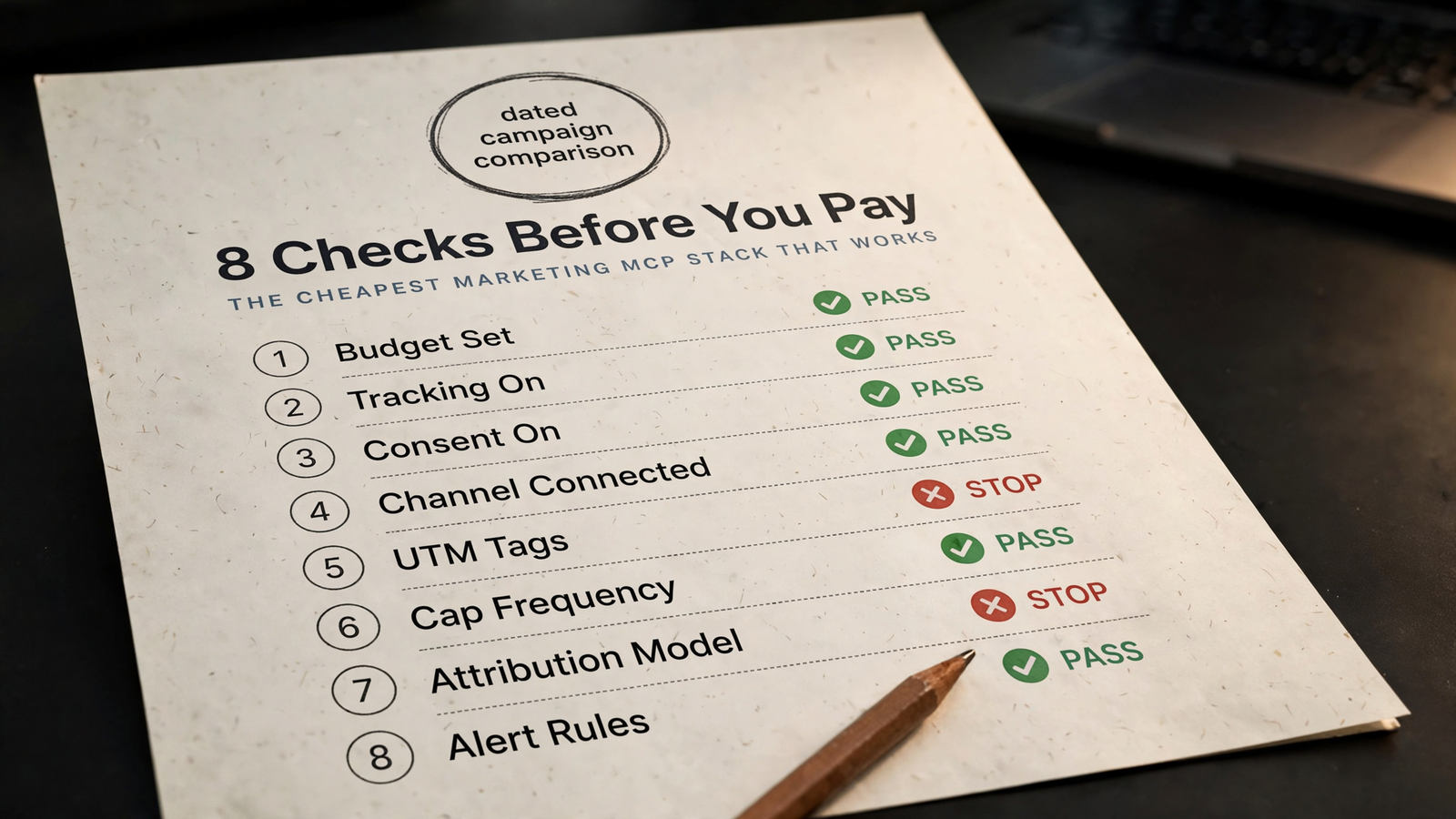
Pass/fail: keep this open during setup
- Task written: one dated request in a sentence. Fail: “Get marketing data.”
- Assistant confirmed: this account and plan can add the connector. Fail: I assume the subscription covers it.
- Maintenance assigned: hosting, credentials, and repairs have an owner. Fail: “Free server” is the whole setup plan.
- Tools confirmed: the connector can read the report or make the specific change the task calls for. Fail: A platform logo stands in for a tool list.
- Authorization narrowed: only the accounts named in the request. Fail: I connect everything “just in case.”
- Read-only answer verified: dates, source, currency, conversion definition, and gaps are stated, and the totals check out. Fail: I take the assistant’s word for it.
- Action bounded: one change, with an account, a limit, a log, and a way back. Fail: I approve a broad optimization with no record of what moved.
- Purchase justified: the managed connection takes real work off my plate. Fail: I pay for access I can’t tie to a task.
Check 5 is the one most often skipped. Extra accounts don’t improve the report. They cost me time tracing which account supplied a number and, if I’ve granted write access, which change might have caused a drop. I connect only what the first task needs, prove the answer, and expand on purpose. That’s how the cheapest working stack stays cheap: I don’t buy access before I need it.





