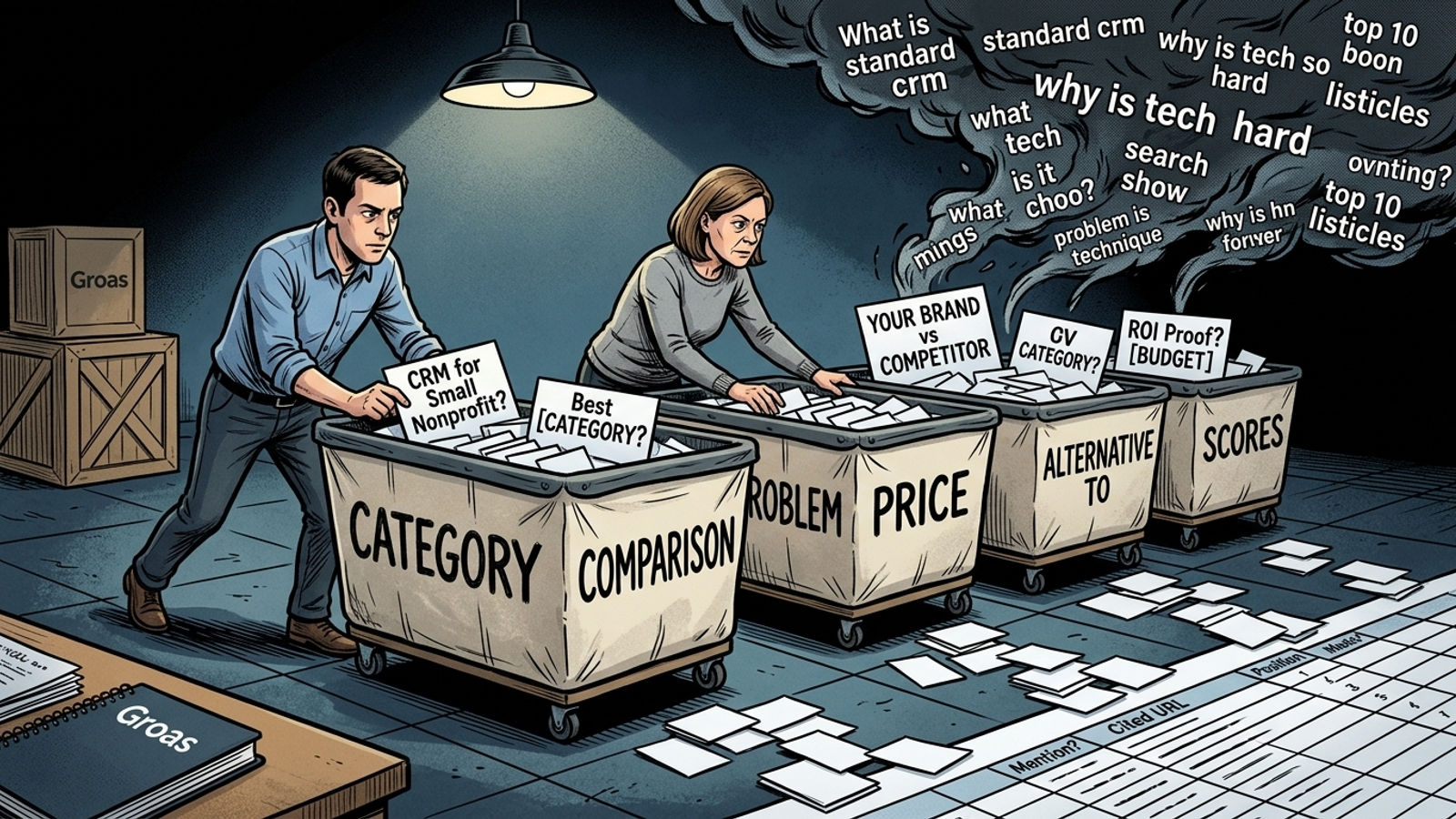
Most AI visibility reports I see are broad match with better branding: 30 versions of “best [CATEGORY]” and barely a trace of the questions people ask before they pull out a credit card. I’ve sorted 60 prompts into five intent buckets so you can track the ones that suggest pipeline, not just the ones that make a dashboard look busy.
Start with buyer language, then freeze the list
Use this setup before you paste a prompt into any engine. Replace every bracketed variable with a real detail, then leave the sentence sounding like something a buyer would say aloud. “What’s the best CRM for a small nonprofit?” works better as a test than “best crm nonprofits.” Keep one question per prompt, without leading language or keyword stuffing, and freeze the wording for a month once tracking starts (prompt-writing rules that hold up).
[YOUR BRAND]     Your business name
[COMPETITOR]     One named competitor
[CATEGORY]       The product or service category
[USE CASE]       The job the buyer needs done
[TEAM SIZE]      The buyer's team size
[BUDGET]         The buyer's budget
[LOCATION]       The buyer's location
[INDUSTRY]       The buyer's industry
[JOB TITLE]      The buyer's role
[COMMON TOOL]    A tool the buyer already uses
[PAIN POINT]     The buyer's stated problem
[PROCESS]        The process causing trouble
[COMMON FAILURE] A recurring failure the buyer describes
[REPETITIVE TASK] A task the buyer wants to stop doing by hand
[WORKFLOW]       The workflow affected
[COST DRIVER]     The cost the buyer wants to control
[METRIC]          The measure the buyer watches
[STEP]            The point where setup fails
[OUTCOME]         The result the buyer wants
[TIMEFRAME]       The buyer's deadline
[FEATURE / LIMIT] The specific feature or limit in question
[COMPETITOR A]    One competing vendor
[COMPETITOR B]    Another competing vendor
The adjustment that matters: source the replacements in this order: Search Console question queries, sales and support transcripts, competitor-vs pages, then Reddit and reviews. The 60 below are a swipe file, not a command to put all 60 on a paid weekly run. For a smaller tracked set, the open-source AEO prompt-set puts 20 to 40 prompts above the noise of a set under 10 and suggests a mix of roughly 25% category, 25% shortlist, 20% comparison, 15% evaluation and 15% branded controls. Keep your original cohort separate when you add prompts later.
Bucket 1: Category prompts make a baseline, not a pipeline forecast
Use these when you need to know whether you appear in a generic answer at all. This is the broad-match bucket: lots of possible exposure, weak buying signal. Generic top-funnel definitions tend to cite publishers rather than vendors, while specific evaluation prompts score 8 to 9 for citations in the Gryffin citation heatmap. A “best [CATEGORY]” mention can look fine in a report and tell you very little about pipeline.
1. What is the best [CATEGORY] for [TEAM SIZE] teams?
2. What is the best [CATEGORY] for [USE CASE] in [LOCATION]?
3. What are the top-rated [CATEGORY] options for small businesses?
4. Which [CATEGORY] do most [JOB TITLE]s recommend?
5. What are the best [CATEGORY] tools for [INDUSTRY]?
6. Which [CATEGORY] is easiest to get started with?
7. What is the highest-rated [CATEGORY] for beginners?
8. What is the best affordable [CATEGORY] for a [BUDGET] budget?
9. Which [CATEGORY] integrates best with [COMMON TOOL]?
10. Which five [CATEGORY] vendors should I shortlist for [USE CASE]?
11. What is the most popular [CATEGORY] for [INDUSTRY] right now?
12. How do [CATEGORY] options rank by ease of setup?
The adjustment that matters: give every line a buyer qualifier such as [TEAM SIZE], [BUDGET] or [LOCATION] before tracking it. Unqualified versions wobble too much week to week. Use this bucket for a baseline; don’t let it set your priorities.
Bucket 2: Comparison prompts reveal who owns the shortlist
Use these when the buyer has narrowed the field and wants help choosing. HubSpot’s 20-to-30-prompt ROI setup treats a question such as HubSpot versus Salesforce for a 100-person team as decision-stage. I track each head-to-head comparison in both orders because the order can change the answer. If your brand appears only when named first, you want to see that.
13. [YOUR BRAND] vs [COMPETITOR] for [USE CASE]?
14. [COMPETITOR] vs [YOUR BRAND] for [TEAM SIZE] teams?
15. How do [YOUR BRAND] and [COMPETITOR] compare on price and setup time?
16. Which is better for [INDUSTRY]: [YOUR BRAND] or [COMPETITOR]?
17. [COMPETITOR A] vs [COMPETITOR B] vs [YOUR BRAND] for [BUDGET] budgets?
18. What are the pros and cons of [YOUR BRAND] compared with [COMPETITOR]?
19. What is the main difference between [YOUR BRAND] and [COMPETITOR]?
20. Is [YOUR BRAND] better than [COMPETITOR] for [COMMON TOOL] integration?
21. Which is easier to implement: [YOUR BRAND] or [COMPETITOR]?
22. Which has better support: [YOUR BRAND] or [COMPETITOR]?
23. [COMPETITOR] vs [YOUR BRAND] for [LOCATION] businesses?
24. Should I switch from [COMPETITOR] to [YOUR BRAND]?
The adjustment that matters: never write “Why is [YOUR BRAND] better than [COMPETITOR]?” Leading wording poisons the read. Keep the question flat, swap the order and let a loss show up. That is more useful than manufacturing a win you cannot act on.
Bucket 3: Problem-first prompts catch buyers before they know your name
Use these when the buyer knows the pain but has not picked a vendor. These are the problem questions buyers ask before they know you. I rank them above category prompts because a buyer with a broken workflow is closer to money than a buyer collecting a list. Generic definitions tend to cite publishers; specific fixes can cite vendors that solve the problem (citation heatmap breakdown).
25. How do I reduce [PAIN POINT] without hiring extra staff?
26. Why does [PROCESS] take so long for [TEAM SIZE] teams?
27. How do I fix [COMMON FAILURE] in [CATEGORY] implementations?
28. What causes [PAIN POINT] for [INDUSTRY] businesses?
29. How do I automate [REPETITIVE TASK] with [COMMON TOOL]?
30. What is the best way to handle [WORKFLOW] when my team is only [TEAM SIZE]?
31. How do I stop [COST DRIVER] from eating my [BUDGET] budget?
32. Why is our [METRIC] dropping after switching to [COMPETITOR]?
33. What should I check to fix [PAIN POINT] before buying new software?
34. How do small [INDUSTRY] firms manage [PROCESS] without an agency?
35. What should I do when [CATEGORY] setup keeps failing at [STEP]?
36. How do I get [OUTCOME] in under [TIMEFRAME] with a limited budget?
The adjustment that matters: take the wording from support tickets and sales calls before you clean it up. If a buyer says a workflow is “eating the whole afternoon,” don’t translate it into a polished phrase nobody uses. Keep the question recognizable; change only what makes it too specific to reuse.
Bucket 4: Price prompts put the decision on the table
Use these when the buyer is checking whether an option fits the budget. I used to tell paid-search clients that nobody asks about price for fun. Pricing and ROI-proof prompts show the highest citation propensity in the Gryffin heatmap, scoring 8 to 9 where generic definitions score low: an answer involving numbers needs something to point to. If I kept only 12 prompts from this file, I’d keep these.
37. How much does [YOUR BRAND] cost for [TEAM SIZE] teams?
38. How does [YOUR BRAND] pricing compare with [COMPETITOR] for [USE CASE]?
39. Is [YOUR BRAND] worth the price compared with [COMPETITOR]?
40. What is the total cost of switching to [YOUR BRAND] from [COMPETITOR]?
41. Does [YOUR BRAND] charge extra for [FEATURE / LIMIT]?
42. How much should an [INDUSTRY] business budget for [CATEGORY]?
43. Which has a lower total cost over 12 months: [YOUR BRAND] or [COMPETITOR]?
44. Are there hidden fees with [YOUR BRAND] implementation?
45. What ROI have [INDUSTRY] companies reported with [YOUR BRAND]?
46. How long until [YOUR BRAND] pays for itself for a [TEAM SIZE] team?
47. What is the cheapest way to get started with [YOUR BRAND] on a [BUDGET] budget?
48. Does [YOUR BRAND] offer discounts for annual plans or nonprofits?
The adjustment that matters: put your actual price bands on your site before judging this bucket. If the model has to guess your price, it can get it wrong, and you can spend a month tracking an answer built on that guess. A citation is useful only if the number behind it is right.
Bucket 5: Alternative prompts test whether you appear when a buyer wants out
Use these when the buyer already has a vendor and is looking to leave. I used to mine “alternative to” as exact match in search-term reports because “alternative” suggests an existing budget and dwindling patience. Comparison and alternative prompts make up 20% of the AEO prompt-set split. These answers need to name vendors, not just explain a category.
49. What is the best alternative to [COMPETITOR] for [USE CASE]?
50. What is a cheaper alternative to [COMPETITOR] for [TEAM SIZE] teams?
51. Which [COMPETITOR] alternative is easiest to switch to?
52. What are the top three alternatives to [COMPETITOR] for [INDUSTRY]?
53. Which [COMPETITOR] alternative integrates with [COMMON TOOL]?
54. Is there an open-source alternative to [COMPETITOR] worth using?
55. What is the best [COMPETITOR] alternative for a [BUDGET] budget?
56. Which [COMPETITOR] alternative has the fastest setup?
57. Which [COMPETITOR] alternative has better support reviews?
58. Is [YOUR BRAND] a good alternative to [COMPETITOR] for [USE CASE]?
59. Why do teams switch from [COMPETITOR] to [YOUR BRAND]?
60. What breaks when migrating from [COMPETITOR] to [YOUR BRAND]?
The adjustment that matters: make the unbranded questions, 49 through 57, the main test. Keep 58 through 60 as branded controls. If you only track questions that mention you, you have built a vanity-prompt chart, not a test of whether buyers discover you.
Tracking sheet: seven columns, no dashboard theatre
Use this when you start the weekly run. Search Console will not replace an answer log. The generative-AI report launched June 3, 2026 isolates impressions inside AI Overviews, AI Mode and Discover AI features by page and country, but it does not give you clicks, CTR, position or a query breakdown. Log the mention, cited URL and place in the answer yourself. For the wider method, see how to measure AI search visibility without trusting one screenshot.
Prompt # | Engine | Date | Mentioned? (Y/N) | Cited URL | Position in answer | Competitor named
13 | ChatGPT | 2026-10-06 | Y | /pricing/ | 2nd, after [COMPETITOR] | [COMPETITOR]
The adjustment that matters: run a fixed list in ChatGPT, Gemini and AI Overviews on the same day each week. Record Y or N, paste the URL only when cited, and note who appeared ahead of you. Answers wobble between runs, so read the month trend rather than celebrating one screenshot (why the schedule matters). Ask for the denominator whenever someone shows you a visibility score.
Scoring rule: separate appearing from being recommended
Use this after each run, on the same frozen cohort. Give every answer one score; then calculate mention and citation rates separately. A first-place recommendation is not automatically a citation, so the score never replaces the URL column.
0 = Your brand is not mentioned.
1 = Your brand is mentioned in passing.
2 = Your brand is cited as a source with a link.
3 = Your brand is recommended first or as the best pick for the use case.

Share of AI voice = prompts mentioning your brand / total prompts × 100
Citation rate     = prompts citing your brand / total prompts × 100
That share-of-AI-voice calculation tells you whether you appeared, not whether you won the buyer. Weight Buckets 4 and 5 double when you compare intent-weighted performance: price and alternative questions sit closer to a decision than Bucket 1. Keep the plain rates alongside that weighted view. When you add prompts, score the original cohort separately or one new rival-winning question can make the trend fall even though nothing changed in the original list.
The adjustment that matters: read the score beside the answer position and cited URL. A 3 without a link and a 2 that points to your pricing page tell you different things. Do not compress both into one reassuring percentage.
Automation: script the checks, inspect the answers
Use automation after four clean weekly runs, once you trust the list. An n8n template can read prompts from Google Sheets, send them to ChatGPT, Gemini and Perplexity, check each answer for your brand, and write results back on a schedule. The cost-and-time example puts a 25-prompt weekly run on your own keys in the low digits per month, with Perplexity Sonar the main cost at roughly $5 to $14 per 1,000 requests plus tokens. It compares that with about two hours a month to log 30 prompts across three engines by hand. Those are example workloads, not the cost of running all 60 prompts.
Still inspect position in the answer, the citation URL and the competitor that beat you. Tools sample non-deterministic answers; the same business can get different scores from different tools in the same week (why tools disagree). If you buy rather than build, the 2026 price anchors are Otterly at $29 a month for 15 prompts, Peec at $95, Semrush and Profound at $99, and Ahrefs Brand Radar at $199 plus the base plan.
The adjustment that matters: keep one fixed list per engine and run it on one day. The script above uses Perplexity, not AI Overviews; log them as different engines rather than treating one as a replacement for the other. Otherwise you mix changes in the answers with changes in what you measured.
After four runs, prune the working list
Use this rule only after you have a month to inspect. I used to say the same thing about negative keywords: a list works only if you prune it. Make the cuts in your working list, not in the frozen original cohort.
Cut from the working list:
- A prompt that scored 0 for mentions in all four runs.
- A Bucket 1 prompt where you appeared but were never cited.
- A vs prompt where the answer favours a competitor on an axis you cannot beat this quarter.

Keep the original 60 in a separate tab.
Replace cuts with tighter variants of Bucket 4 and 5 winners.
The adjustment that matters: keep measuring the original cohort even after you change the working list. That lets you improve what you ask next without rewriting what happened last month.
If I could keep one artefact from this file, it would be Bucket 4: the 12 price prompts. Category answers fill reports. Price answers put your numbers beside a buying decision. When a model cites your pricing page as the number behind its recommendation, you have something more useful than a nice-looking mention. That is the prompt list I would want to own.
Frequently asked questions
How should I write AI search prompts before I start tracking them?
Replace every bracketed variable with a real detail and phrase the prompt the way a buyer would say it aloud, such as "What's the best CRM for a small nonprofit?" rather than a keyword fragment. Keep one question per prompt, avoid leading wording or keyword stuffing, and freeze the wording for a month once tracking starts.
Are category prompts like "best [CATEGORY]" worth tracking?
They are worth tracking as a baseline, not as a forecast of pipeline. Generic category answers tend to cite publishers rather than vendors, so a "best [CATEGORY]" mention can look fine in a report while saying little about real buying intent. Add buyer qualifiers such as team size, budget or location to keep results stable week to week.
Why track head-to-head comparison prompts in both orders?
Because the order of the two names can change the answer. Run each comparison with your brand first and second, keeping the question flat so it never asks why your brand is better. If your brand appears only when named first, tracking both orders is the only way to see that.
What are problem-first prompts and why track them?
They are questions buyers ask about a pain before they know any vendor, such as how to fix a broken workflow or why a process takes too long. The article ranks them above category prompts because a buyer with a broken workflow is closer to money than one still collecting a list, and specific fix questions can cite vendors while generic definitions cite publishers.
Which prompts matter most if I can only track a few?
Price prompts. The article says that if it kept only 12 prompts from the whole file, it would keep the 12 price prompts, because pricing and ROI questions show the highest citation propensity, scoring 8 to 9 where generic definitions score low. Put your actual price bands on your site first so the model is not guessing your numbers.
Should I track "alternative to [COMPETITOR]" prompts?
Yes, because "alternative" signals an existing budget and dwindling patience with a current vendor. Track the unbranded questions as the main test and keep the branded ones as controls. If you only track prompts that mention your own brand, you are measuring vanity rather than whether buyers discover you.
How do I track AI search mentions from week to week?
Run a fixed prompt list in ChatGPT, Gemini and AI Overviews on the same day each week and log the results yourself in a sheet with seven columns: prompt number, engine, date, mention yes or no, cited URL, position in the answer and the competitor named. Search Console's generative-AI report shows impressions but not clicks, CTR, position or a query breakdown. Read the month trend rather than a single screenshot.
How do I score whether an AI answer mentioned or recommended my brand?
Give each answer one score from 0 to 3, where 0 is no mention, 1 is a passing mention, 2 is a citation with a link and 3 is a first-place recommendation. Calculate mention rate and citation rate separately and keep the score next to the cited URL, because a 3 without a link and a 2 pointing at your pricing page mean different things. Weight price and alternative prompts double when comparing intent-weighted performance.