

 LinkedIn
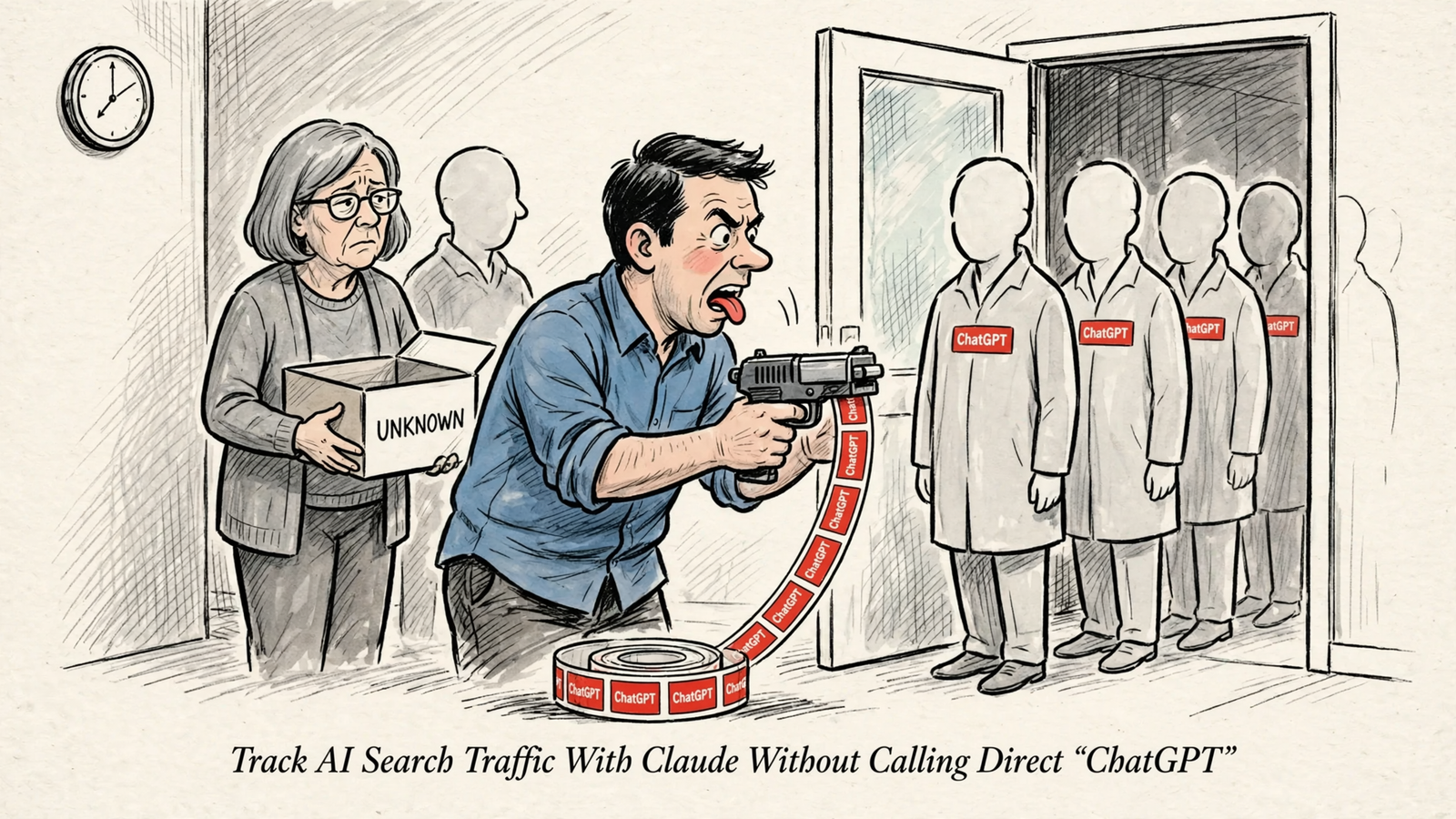
Build an AI traffic report you can defend to finance, not just one with a bigger number than last month. The first mistake is calling unexplained Direct visits “ChatGPT” before writing down what counts as an AI referral.
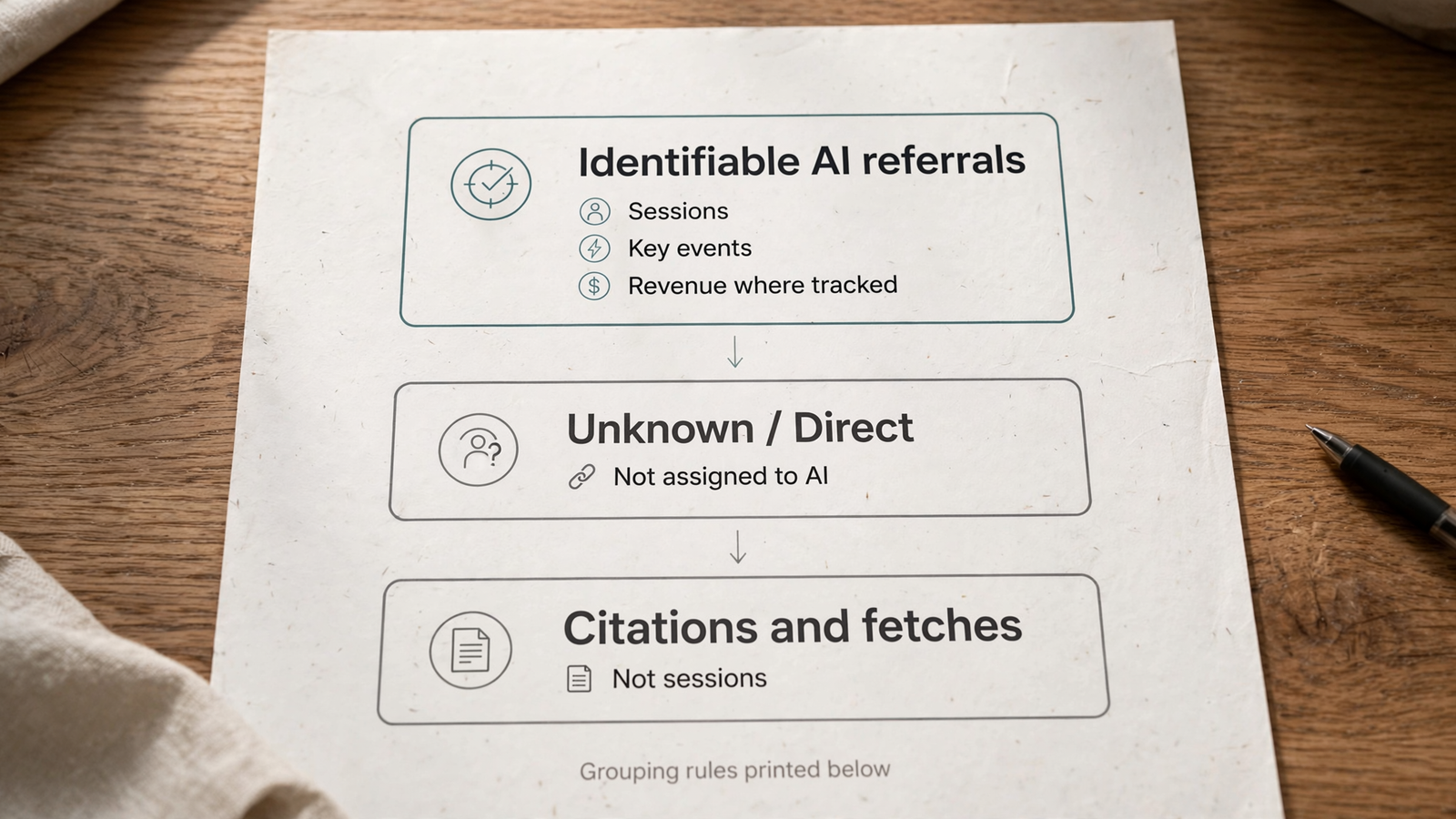
I want a one-page report with identifiable AI referrals, their measured outcomes, and the grouping rules printed underneath. Compare equal-length periods. Include engaged visits, key events and revenue where you have it. Leave genuinely unattributable traffic labeled unknown.
Citations, visibility scores and crawler fetches go in separate boxes. They are not customer sessions. A model reading your page is not a buyer arriving on it, however much the dashboard would benefit from confusing the two.
This guide uses Claude with groas to build that report from connected GA4, Search Console and site data. The order matters: inspect the data, agree on the rules, then ask for the total. Skip straight to the total and you invite Claude to make the most important decision without you.
Step 1: Connect the right properties before asking for a number
Do not start by asking Claude how much AI traffic you get. Start by giving it the properties to read and the limits to work inside. Connect your GA4 property, Search Console property and website through groas, then add groas to Claude. The Claude setup page walks through adding it under Connectors.
The first job is a read-only measurement check, not a site change. Work through these steps in order:
- Connect the three sources. Use GA4 for sessions and key events, Search Console for queries and Google search visibility, and the site for landing pages. If a source is not connected, leave it out. Do not let Claude fill the gap with a plausible estimate.
- Confirm the identifiers. Ask Claude to state the GA4 property ID, Search Console property, reporting timezone, date range and data freshness. Check them before trusting a number. A polished report from the wrong property is still the wrong report.
- Define the outcomes. Write down which key events count, in plain English. A
generate_leadevent that fires on page load is not a lead. Revenue belongs in the report only where the relevant events carry usable value. - Set the boundary. Tell Claude to inspect definitions without changing the site, tracking or grouping rules.
Use this opening prompt:
Read the connected properties and their measurement definitions. State the property identifiers, reporting timezone, data freshness and available key events. Identify missing sources or definitions. Do not change the site, tracking or grouping rules.
If Claude proposes fixing tracking at this stage, keep the proposal. Do not execute it yet. First establish what the current numbers mean.
Step 2: List the raw sources before deciding what counts as AI
This is the step people skip. They ask for a total, then accept whatever broad pattern produced it. A loose match quietly sweeps in traffic that was never an AI assistant referral.
Raw values first. Rules second. Totals last.
Start with this prompt:
Enumerate every observed Session source/medium combination for the last 28 days, with sessions for each. Do not group yet. Flag any value that contains gpt, copilot, gemini, claude or perplexity as a substring. Treat those flags as candidates for review, not confirmed AI referrals.
Get that list on paper before anyone writes a regex. Broad patterns such as .*gpt.* and .*copilot.* can also match unrelated sites. A substring is a useful way to find candidates. It is a poor way to approve them.
For hostname matching, use an anchored list, for example:
^(.*\.)?(chatgpt\.com|chat\.openai\.com|perplexity\.ai|gemini\.google\.com|claude\.ai|copilot\.microsoft\.com)$
That matches chatgpt.com and www.perplexity.ai, not every hostname with “gpt” somewhere inside it. Document every host you include and why. If you cannot explain a host in one line, leave it out until you can.
Then write down three boundaries:
- Recognized signals: a referral hostname such as
chatgpt.comorchat.openai.com, or an observed tag such asutm_source=chatgpt.com. Record which signal supports the classification rather than treating them as interchangeable. - Channel labels: use GA4’s channel grouping as a cross-check, not a substitute for your documented source rules.
- Unknown sources: keep Direct, blank and unrecognized sources outside the identifiable AI total. Do not redistribute them among ChatGPT, Claude and Perplexity to make the chart look complete.
Tags matter because they can preserve attribution when a referrer does not survive an app transition or copied link. But if neither signal reaches your measurement setup, Claude cannot recover it by looking harder.
That distinction matters for Claude traffic too. App opens and referrer restrictions can leave visits recorded as Direct. That does not prove Claude sends no traffic. It means GA4 cannot identify all of it.
Keep the label honest: identifiable AI referrals, not all AI traffic.
Step 3: Build the comparison and make Claude show its rows
Now ask for the report. The rules exist, the properties are confirmed, and you know which outcomes are measured.
Use a prompt that makes the working visible:
Using the documented source rules, compare identifiable AI referrals with the previous equal-length period. Show sessions, engaged sessions, available key events, revenue where instrumented, and landing pages. State the attribution scope and grouping rules. Attach the underlying Session source/medium rows. List anything you could not measure. Do not estimate missing attribution or revenue.
Read the rows before the summary. The summary will sound confident either way. The rows tell you whether the assistant sources exist, whether the grouping caught an unrelated domain, and whether the same landing pages appear in both periods.
If Claude cannot show the underlying rows, you do not have a report. You have an opinion with a chart attached.
Two decisions determine whether next month’s comparison means anything.
Keep attribution scope consistent
State whether the report uses session-level or event-level attribution. Do not mix them in one total. Session source/medium, event-scoped Source/Medium and First user dimensions answer different questions. Similar labels do not make them interchangeable.
Changing the reporting model can recalculate historical key-event reports without moving the main acquisition reports. A jump after a model change can be an accounting change dressed as growth.
Print the attribution scope beside the numbers. Do not leave the reader to infer it from a screenshot.
Separate missing revenue from zero revenue
If purchase events carry no value, Claude should write “revenue not instrumented” rather than manufacture a revenue total. If the supposed conversion is a page view, label it as a page view, not a sale or lead.
Zero is a measurement. A blank cell needs an explanation. Finance can work with either when the meaning is clear. Writing $0 beside a channel whose revenue measurement is missing is not conservative. It is wrong.
Before accepting the report, check the property, dates, source rows, event definitions and attribution scope against the setup you approved. Save that version with its rules. That is your baseline.
Step 4: Put unknown traffic, citations and crawls in separate boxes
Some attribution disappears before it reaches you. An app may hand a URL to the operating system without a referring web page. A consent banner may block the GA4 tag. A buyer may read on a phone and purchase on a laptop.
These are different measurement gaps, but they create the same temptation: fill the blank with a story.
Unknown does not mean AI, and unknown does not mean zero AI. It means the available evidence cannot settle the question. A defensible report leaves that uncertainty visible instead of distributing it across channels.
You can compare Direct traffic on the same landing pages and look for a sudden change. That is useful diagnostic context. It is not permission to relabel those sessions.
Citations and crawls need an equally firm boundary:
- An identifiable referral session records a visit with a source signal you can classify.
- A citation or visibility observation tells you something about how an assistant presents your brand or content. It does not establish that a person clicked.
- A crawler fetch records a system requesting a page. It is not a customer visit or a sale.
AI crawler activity and GA4 referral traffic measure different things. A model can fetch your page, quote a competitor, or answer without sending a buyer anywhere. Counting that fetch as a session erases the distinction the report is supposed to preserve.
If you need to check whether assistants can reach your pages, use the workflow in Can ChatGPT Read Your Site? A 45-Minute Check Before You Write More AEO Content. Keep the findings beside the traffic report, never inside its session total.
Skip the combined “AI activity” number. Adding visits, citations and fetches produces a larger number, not a more useful one.
Step 5: Give finance one page they can reconstruct
A decision maker does not need your GA4 view. They need to know what you counted, what happened afterward, and what you could not establish.
The page should contain enough detail to rebuild the result. Use this structure:
| Report block | What belongs in it |
|---|---|
| Measurement basis | Property identifiers, reporting timezone, freshness, two equal-length periods and attribution scope |
| Identifiable AI referrals | Sessions, engaged sessions, defined key events, revenue where instrumented and top landing pages |
| Grouping rules | The exact source rules, including the anchored hostname list and any recognized tags |
| Unknowns and gaps | Direct or unrecognized sources, missing instrumentation and unavailable data, without estimated AI allocations |
| Separate context | Citations, visibility observations and crawl checks, clearly excluded from session totals |
Put the rules on the page verbatim. “AI traffic” is not a definition. Neither is “the filter we used last month.”
If the report lives in a shared workspace, Claude Cowork for Marketing Teams: Shared Data, One Change Log explains how to keep definitions and change history together. The point is continuity: next month’s report should not depend on someone remembering what a regex was meant to do.
Keep a hard line between measurement and interpretation. Identifiable sessions and their recorded outcomes belong on the measured side. Suspected AI visits hiding in Direct, citation-driven demand and visibility that may have helped close a deal belong on the hypothesis side.
When referrals drop, investigate in a defensible order:
- Check measurement first. Compare Direct on the same landing pages and look for a sharp step date, tag change or other tracking change.
- Check the platform format. Look for changes that might affect whether people click.
- Separate crawl from click. Use server logs to investigate access rather than treating fewer referrals as proof that assistants stopped reading the site.
The referral-drop checklist follows that measurement-first approach. Crawl activity and referral sessions can help narrow the question, but neither alone explains every change.
If someone else cannot reconstruct the page from its definitions, it is a slide, not evidence.
Step 6: Propose site changes, approve them, then repeat the report
The report tells you which landing pages earned identifiable AI sessions and which recorded key events. Start there, rather than asking Claude to rewrite the site because an AI visibility score moved.
Use this prompt:
From the observed AI referral landing pages, propose three page changes. For each, include the page, the observed evidence and the reason for the proposal. Propose only. Do not change the site.
A finding is permission to investigate, not permission to publish. Approve each change before it goes live. groas keeps changes logged and undoable, with autopilot off until you switch it on. Keep that control intact: a helpful assistant with write access can otherwise rewrite a page that was converting.
Record the approved reason beside the change, just as you recorded the grouping rules. A fix without a recorded reason is harder to judge next month. You want to know what you expected to improve, not just that someone edited the page.
Then rerun the report next month with the same definitions:
- The same hostname rules.
- The same key-event definitions.
- The same attribution scope.
- Equal-length comparison periods.
- Tracking changes annotated before anyone interprets the trend.
A consent-banner change, a GTM edit or a restored source tag can move the numbers without moving demand. Note it before celebrating or panicking. The report becomes useful over time only if its rules stay stable and its changes stay visible.
The first thing to do today is straightforward: connect GA4, Search Console and your site through groas, add it to Claude, and run the raw-source prompt from Step 2. Save the source list and your approved hostname rules where the next report can reuse them.
Do that before asking whether AI traffic is up. First make the number defensible.


