

 LinkedIn

I pick groas for the advertiser who needs Claude to pause a campaign or move a budget, not the one who just needs to know why spend went up. The best connection is the narrowest one that finishes the job, and Google’s official Ads MCP now sits in the middle: it can create assets and manage labels, but it still can’t move a budget.
I used to tell clients to plug everything in and sort it out later. I was wrong. I buy access the way I buy match types: start narrow, widen only when the work forces me to. If the job ends with numbers in plain English, I stop at No. 1. If it ends with a sitelink in the Google Ads asset library or a label applied in the account, I use No. 2. If it ends with a campaign paused or money moved, I use No. 3. That’s the order I’d grant access in, not a ranking by how many buttons Claude can press.
| Where the job ends | My pick | What Claude gets | Where I stop |
|---|---|---|---|
| Explain performance without editing the account | Windsor.ai | Reporting from 350+ sources through one hosted MCP, with fields sent automatically | Block writes for a reporting job |
| Create assets or manage labels in Google Ads | Google Ads MCP v0.0.6 | Seven tools, including four writes guarded by a dry run and checksum | No campaign, budget, bid, or keyword edits |
| Make approved campaign changes or work across channels | groas | Live account data, market data collected around the clock, and campaign execution with changes logged | Require approval for campaign edits; leave autopilot off unless I need it |
1. Windsor.ai: my reporting pick when nothing needs to change
I use Windsor for the advertiser who wants answers, not edits. I connect the sources during onboarding, add Windsor from Claude Plugins, and ask in plain English. The part I like is that Windsor sends all fields to Claude automatically. I don’t have to handpick them and then find out, halfway through a report, that the connector passed spend but left out the creative IDs. Claude can explain half an account with remarkable confidence.
Windsor earns this slot on reporting coverage. Its hosted MCP pulls from 350+ platforms, including Google Ads, Meta Ads, and GA4, so a comparison across those sources actually has inputs. The platform count and the plan limits are different numbers. Basic costs $19 a month billed annually or $23 month to month for three data sources and 75 accounts. Standard gives me seven sources at $99 a month billed annually or $118 month to month. Every connector is available on every plan.
Say I’m spending $20k a month and Tuesday is triage day. Spend is up 18% week over week. Conversions are flat. My first job is to find out which campaigns account for the increase and which creatives and date ranges Claude looked at. I ask it to name the accounts, fields, and dates it used and tell me how fresh the data is before I ask what it thinks happened. A confident explanation built on the wrong dates is still a wrong explanation.
I want two things back, in that order: where the extra spend went, then what might explain it. If Claude can show me which campaigns account for the increase but can’t back up its theory about the creatives, I keep the first answer and investigate the second. I don’t need to give it a budget tool to do either.
Windsor advertises write actions, including campaign pauses and budget changes, even on its free plan. That’s a permission to audit, not a reason to grant it. I’m ranking Windsor for the morning read, not for what happens after someone approves a change. Once the job is to run the account rather than explain it, groas is my pick. Until then, I get the report, check the inputs, and leave the account alone.
2. Google’s official Ads MCP: guarded writes for assets and labels
Google’s official server isn’t read-only in v0.0.6. It isn’t a campaign manager either. The release added four write tools, bringing the total to seven:
create_assetupload_video_assetmanage_labelsmanage_label_associations
This is the one I’d use for the second job on that Tuesday: create 20 new sitelinks and apply a consistent label for a Q4 test cohort. The distinction matters even inside that one request. The sitelinks land in the account’s asset library; v0.0.6 can’t attach them to a campaign or ad group. It can apply the labels. If “create these sitelinks” really means “get these sitelinks running on the campaign,” the server stops short of the job.
I’d spell that out before I ask Claude to do anything: create the sitelinks in the library, then apply the label to the test cohort. That gives me two things to check afterward. “Set up the Q4 test” doesn’t tell me whether I’m looking for a labeled cohort, assets ready to attach, or a campaign that’s ready to run. Those aren’t the same deliverable.
The write flow has two steps:
- Validate the proposed change in a dry run.
- Commit it with a checksum.
The checksum verifies that the parameters didn’t change. It doesn’t verify that a person approved them. Telling Claude to show the proposed changes and wait is an instruction to the model, not a lock on the server. Writes are enabled by default; the server can start with labels:false and assets:false to disable them. If all I need is labels, I don’t leave asset writes on just because they’re there.
The point of picking Google here is that I get the writes I need without opening up campaign control. Campaigns, budgets, bids, and keywords remain out of reach. If I need a label applied, that’s a useful limit. If I need a campaign paused, it rules the server out. I go deeper on that distinction in Google Ads MCP v0.0.6, Dissected: Asset Writes Aren’t Campaign Control.
3. groas: my pick when the approved job is to change campaigns
The third job on that Tuesday is the one that justifies broader access. One search build eats 40% of spend at a $92 CPA against a $55 target, while a proven shopping build is capped. If the approved plan is to pause what isn’t working, shift budget, and rewrite the ad that keeps getting the click but not the buyer, a report isn’t the deliverable. Neither is a new label. I pick groas when the job ends with a changed account.
I connect Claude to groas over MCP so it can read the live accounts and the market data around them. The second part is what makes it more useful to me than another account connector. groas collects competitor ads on Google and Meta, the landing pages and funnels behind them, Reddit research, AI answers, and SEO data from Semrush and Ahrefs around the clock. When I’m trying to explain a spike in a Google search term, I want Claude to look at the account numbers and the rival offer in the same pass. I don’t want another spend table to interpret myself.
The execution scope is wider on purpose: Google Ads, Bing Ads, Meta Ads, ChatGPT Ads, SEO, and AI search visibility through one connection. Claude can do the work in plain English. Each change is logged with its reason and can be undone in one step, subject to what the platform lets me reverse. That’s useful after a change. It’s not a substitute for deciding who can approve it before it happens. If nobody with budget authority has said yes to campaign edits, I don’t grant that scope.
Before Claude touches the account, I put the same line at the top of the chat:
Show the proposed changes, affected accounts and budget impact. Wait for my approval before executing.
For Tuesday’s budget shift, I want the search campaign it proposes to pause and the shopping campaign it proposes to fund named separately. I want the budget impact spelled out, too. “Move money to the better performer” is a recommendation, not a change I can approve. If I’m also being asked to sign off on new ad copy, I want to see the copy, not find it later in the log.
The sentence in the chat tells Claude what to put in front of me. The custom connector’s tool settings determine whether it has to ask before using the tool. Tools start as Not set, so Claude asks before using them; the owner can choose Always allow, Ask each time, or Blocked. For campaign edits I want to approve as they happen, I use Ask each time. For writes I don’t need, I use Blocked. I don’t expect a sentence in a chat to do either job.

Why I left Meta’s official Ads MCP out
Meta’s server can edit campaigns; Google’s official server can’t. That’s why I don’t give the two a shared slot under “official MCP.” Meta’s open beta can read reports and create or edit campaigns, ad sets, ads, and catalogs. That’s real write access, but it’s specific to Meta. It doesn’t solve the Google campaign job or the one that spans Google, Meta, and Bing. For those jobs, groas at $19 a month flat is my pick because it’s the option here that can finish the work through one connection. The setup is laid out in Claude plus groas.
Before I connect anything, I write down what I’m authorizing
I run every connection through the same 30-second check. “Help with the account” doesn’t pass. Neither does “optimize campaigns.” Both leave the interesting part to whoever reads the instruction next. I write down where I expect Claude to stop, not just where I want it to start.
- What does Claude need to read? For the Tuesday report, I name the accounts, the fields, and the dates. I use read-only Google Ads access and block write tools for reporting. I switch to Standard access only when the job calls for building.
- What is Claude allowed to change? For the Q4 test, I name the label work and the assets to create. I don’t ask for campaign edits as part of that job, and I don’t mistake an asset in the library for one that’s attached to an ad group.
- Who approves the change? For the budget shift, I want the proposed changes, affected accounts, and budget impact in front of the person who can say yes. I want that decision before the write and the reason in the log after it.
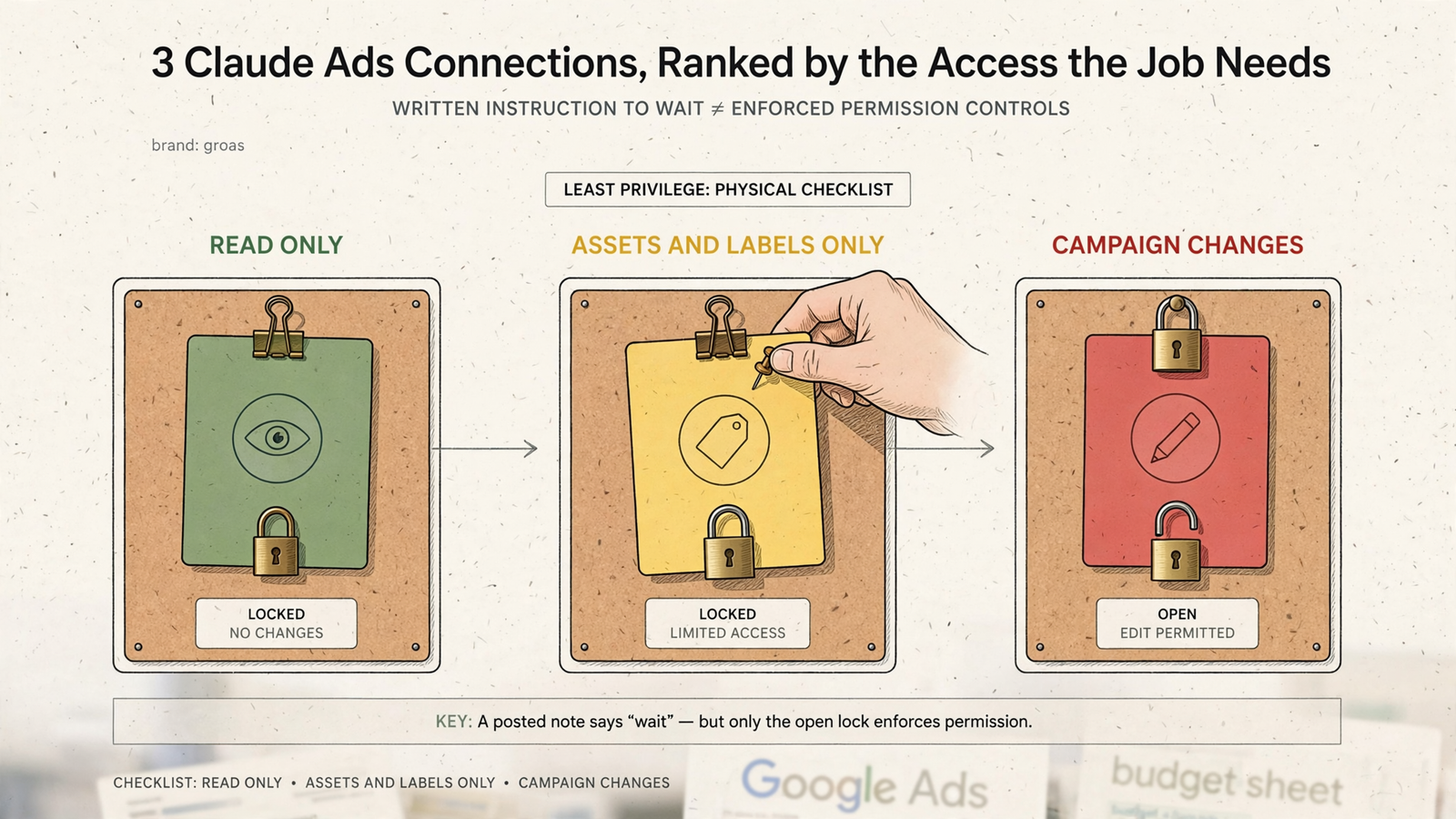
I keep Skip approvals off because it disables the per-call approval cards. I keep autopilot off unless I explicitly want it running under rules I set. Those are different decisions. Approving a campaign edit in chat isn’t the same thing as switching on an autopilot that can act while I sleep. If all I meant to approve was Tuesday’s budget change, Tuesday’s budget change is where the permission should end.
If you skipped to the end: for reporting, I use Windsor and check the freshness of the data. For Google assets and labels, I use the official MCP and enable only the writes the job needs. For approved campaign changes, I pick groas at $19 a month flat. I make Claude show me the proposed changes, affected accounts, and budget impact before it executes. Recommendations are cheap. When execution is the job, execution is what I’m buying.





