LinkedIn
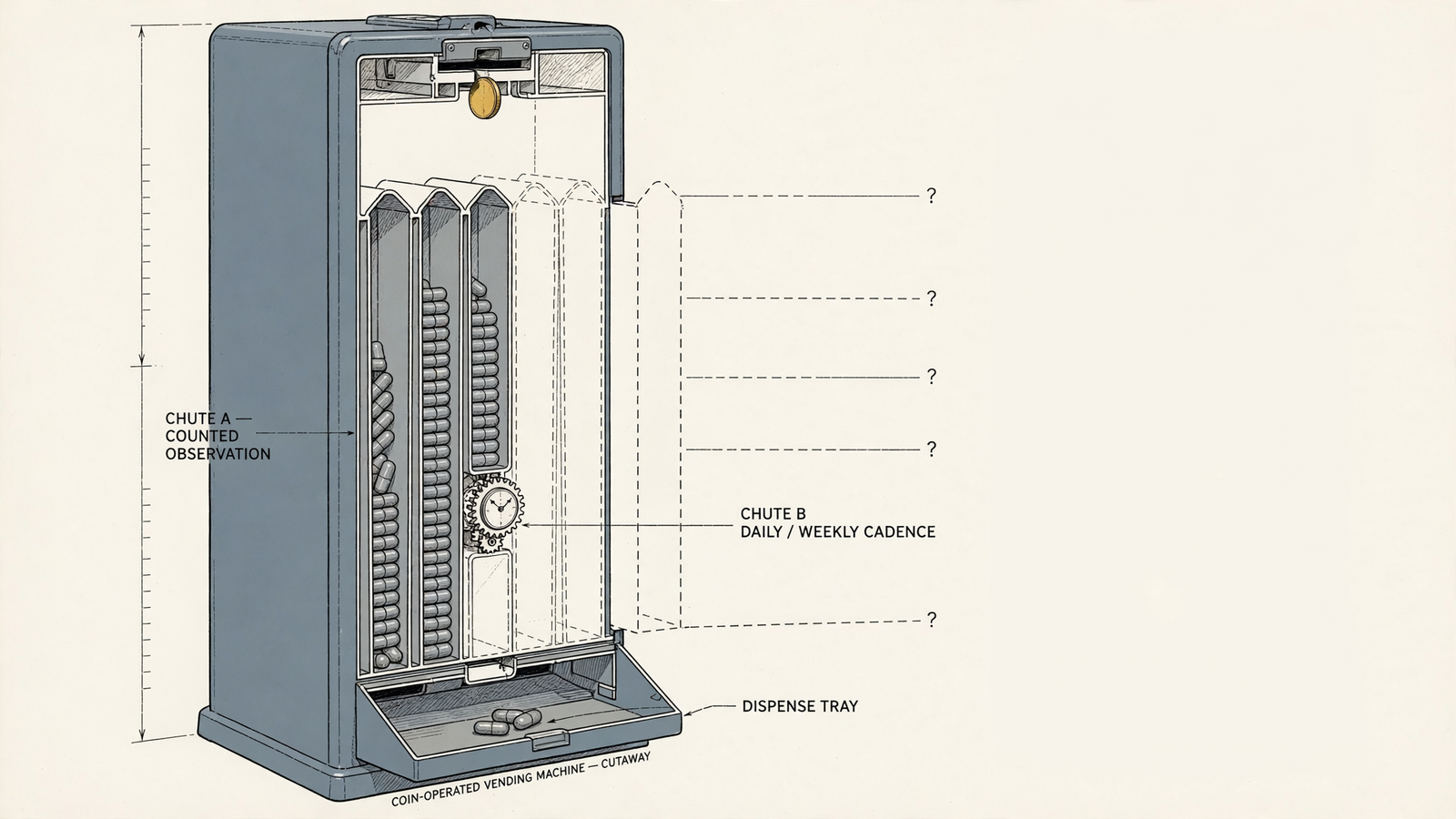
84% more per month buys a move from one engine to five on Surfer. It also buys more prompts and a switch from weekly checks to daily ones, so the price jump alone tells me almost nothing about what I’m paying per observation.
I used to judge AI trackers the way I judged keyword tools: check the monthly price, make sure the engine I care about is on the list, move on. That shortcut falls apart here. The cheapest subscription is easy to spot. The cheapest one that measures what I need is not. To find it, I need to know what gets checked, where it gets checked, and how often. Then I need to separate those scheduled checks from the reruns the tracker makes behind the scenes.
What Surfer changes when the price jumps
TechRadar’s review puts Standard at $119 a month and Pro at $219. Subtract the prices, divide the difference by Standard’s price, and round: an 84% increase on monthly billing. The arithmetic is clean. The upgrade is not a clean test of what extra engines cost, because the plans change in three places at once:
| What changes | Standard | Pro |
|---|---|---|
| Engines | ChatGPT only | Adds Perplexity, Gemini, Google AI Overviews, and Google AI Mode |
| Prompt allowance | 25 | 50 |
| Refresh | Weekly | Daily |
If a cleaning or ecommerce client only needs a weekly read on a set of ChatGPT buying questions, the extra engines and daily refreshes don’t earn their keep. If that client’s buyers also use Gemini and Perplexity, a weekly ChatGPT snapshot leaves out part of the market the client is paying to understand. And if ChatGPT is the right engine but the weekly snapshot isn’t frequent enough, the reason to consider a different plan is cadence, not coverage. Same price gap, different buying decision.
There’s another reason not to read the jump as the cost of adding engines. Surfer’s tracker page lists AI Search Analytics with the same prompt allowance, engine coverage, and daily cadence as Pro. The syndicated TechRadar review also describes a tracker-only option at $95 a month covering 50 prompts daily across all five engines. If tracking is the job, I price that plan before I price the upgrade.
Put the unknowns in the plan table
Before I compare trackers, I ask Claude to build the evidence table. The most important instruction isn’t about formatting:
For each plan, list price, engines, prompt allowance, refresh frequency, answer access, and share-of-voice functionality. Mark anything the source does not establish as unknown.
An unknown cell is not permission to borrow the number from the row above it. Here’s what the cited material establishes about price and sampling, and what I’d still check before paying:
| Plan | Price per month | Engines | Prompts | Refresh | What to check before buying |
|---|---|---|---|---|---|
| Surfer Standard | $119 | ChatGPT only | 25 | Weekly | Whether the citation detail matches Pro |
| Surfer Pro | $219 | Five engines | 50 | Daily | Whether the fixed engine list matches the buyers |
| Surfer AI Search Analytics | $95 monthly; $82 per month billed yearly | Same five engines as Pro | 50 | Daily | Whether the job needs anything beyond tracking |
| Surfer Peace of Mind | $359 monthly; $299 per month billed yearly | Same five engines as Pro | 100 | Daily | Whether the larger panel adds buying questions worth acting on |
| groas Unlimited | $19 | Engine list for scheduled tracking: unknown | Unknown | Unknown | Which AI answers and citations are available for the panel |
The plan pages tell me what Surfer schedules, not whether the results match what a particular buyer sees. TechRadar’s reviewer says the tracker pulls the answer a user sees rather than an API response and reports that two prompts matched manual checks. I’d take that as a useful spot check, not validation of the whole panel. If the engines are right but the panel is too small, Surfer’s help center lists extra prompts at $18 a month per pack of 10. I price the panel I’d actually run, not just the plan I’d start on.
An independent comparison lists Otterly Lite at $29 for 16 prompts and Peec AI at $95 for 50 prompts on three models of my choosing. groas has the lower subscription price, but those prompt counts describe something the groas row doesn’t establish. I can rank the sticker prices. I can’t turn those prices into a ranking of cost per check.
Count scheduled checks, not raw answers
Take Pro’s 50 prompts across five engines and apply its daily cadence over a 30-day model. That gives me 7,500 scheduled prompt-engine checks. Divide the $219 monthly price by that modeled total and the result is roughly 2.9 cents per scheduled check.
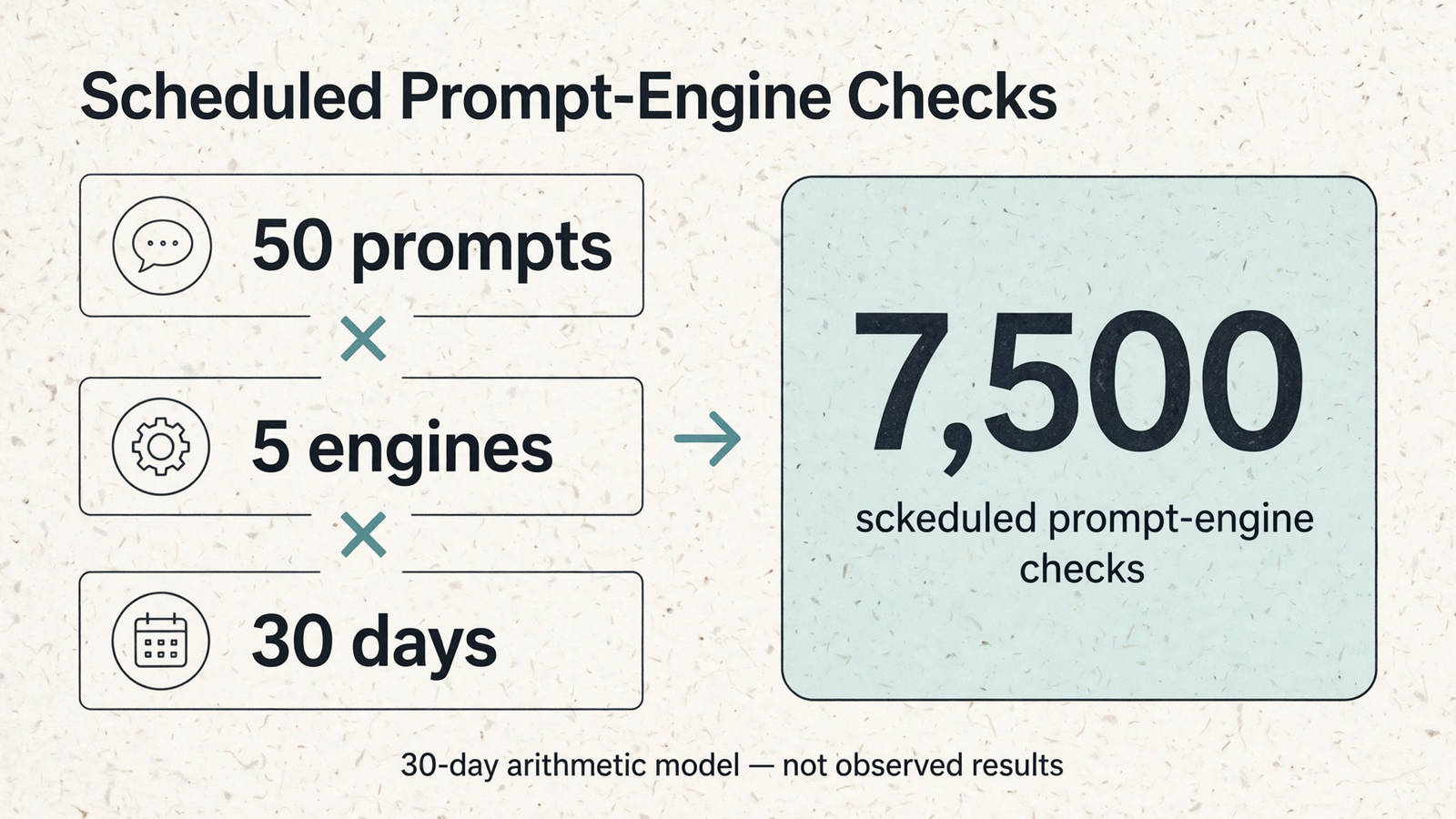
Scheduled is doing work in that sentence. A check in this model is one prompt on one engine at one scheduled refresh. It is not a count of raw responses. Surfer’s help center describes a self-consistency method: it repeats checks and filters for overlap because the same prompt can produce different answers. Those internal reruns aren’t in my denominator. The model doesn’t tell me how many responses Surfer retrieves or retains, and it doesn’t establish that every scheduled check yields an independent observation.
Run the same model for Standard’s 25 prompts on one engine, using its weekly cadence, and the result is about 107 scheduled checks over the same 30 days. That’s the weekly rate averaged across a model month, not a count of actual refresh dates. At $119 a month, it works out to more than $1 per scheduled check. The unit cost is higher because the plan samples fewer things less often. That doesn’t make it a bad buy if a weekly ChatGPT read is the only observation I need. A check on an engine my buyers don’t use can make the unit price look better without making the report more useful.
The tracker-only plan has the same scheduled denominator as Pro on the listed specs. Its lower monthly price settles the cost-per-scheduled-check comparison between those plans, not the value of everything else in the subscription. For groas, there’s no equivalent calculation in the cited material. I use the arithmetic where the denominator is documented and leave the rest blank.
Freeze the buyer panel before reading share of voice
A tracker measures the panel I give it, not the whole market. Drop the prompt where a competitor always wins and my share of voice can rise without a single new mention. Nothing improved for the buyer. The denominator moved.

I ask Claude for the evidence in this order:
- Build a fixed panel of buying questions and name the competitors it covers.
- Keep results separate by engine. A brand can lead in ChatGPT and disappear in Gemini; an average can hide both.
- Show the available answers and citations before summarizing share of voice. A mention is not a citation.
That last distinction matters if the next step is changing a page. Surfer’s visibility and sources views separate how often a brand appears from which links the answer cites. The first tells me I’m being named. The second shows me which page the answer cites. I don’t want a dashboard smoothing those into the same signal: seeing my brand in the answer doesn’t mean the answer points readers to my page.
In one practitioner thread, a commenter reports that about half the cited domains in their data change from week to week. The thread also describes automatic competitor detection putting unrelated manufacturers at the top of a list until someone replaces them by hand. These are practitioner reports, not benchmarks. I use them as reasons to inspect the competitor list and the underlying answers, not as estimates of how much my own results should move. As I explain in Your AI Share of Voice Can Rise Without a Single New Mention, I keep the panel fixed for the comparison period. If it changes, I start a new baseline.
Where groas fits: acting on the evidence
groas Unlimited costs a flat $19 a month for the whole team, with unlimited teammates, ad accounts, and websites. I connect my accounts and website, then plug groas into my own AI over MCP or with an API key. It collects AI-answer and citation data alongside competitor ads, landing pages, funnels, and Reddit research. Collecting data around the clock does not establish how often groas checks a particular prompt. I wouldn’t put the collection claim in the refresh column or use it to calculate a cost per check.
The comparison I care about here starts with a different prompt:
Find a supported citation gap, propose a page change, and explain the evidence. Do not publish until I approve.
A tracker-only plan can show me a competitor’s cited page. It can’t, by itself, make the change I approve. And the cited page is evidence to inspect, not an instruction to rewrite mine. A practitioner in the same thread points out that missing citations can be a distribution problem rather than a problem with the page. That’s why I ask for the evidence before the edit. If the evidence doesn’t support a page change, I don’t need a better draft. I need to leave the page alone.
Where I need to go from evidence to action, I’d start with groas rather than buy a dashboard that stops at the evidence. Its autopilot stays off until I turn it on. My rules govern what it does, and changes are logged with their reasons and can be undone in one step. I’d still budget for any separate usage costs from the AI assistant. The groas pricing page advertises $30 in free credits. That’s not an ongoing free plan or a promise that the subscription covers the assistant’s costs.
Buy for the next decision, not the lowest sticker price
I pay for observations I’ll use, on the engines my buyers actually consult. The numbers point me to different purchases depending on the job:
- For a weekly ChatGPT read: Standard at $119 a month is defensible if its 25-prompt panel covers the buying questions that matter. I wouldn’t pay for extra engines just to put them in a report.
- For daily tracking across five engines: I’d start with AI Search Analytics at $95 on monthly billing. It lists the same prompt count and cadence as Pro. I wouldn’t pay the Pro price for those same scheduled observations alone.
- For acting on AI-answer evidence: I’d start with groas at $19 a month if the job is to investigate a citation gap and make an approved change through my own AI. If I also need a fixed tracking schedule, I’d verify the engine coverage, prompt allowance, and cadence before counting groas as a replacement for a scheduled tracker.
Before paying, I’d run the free visibility report spot check: ask for the panel, the competitor list, the engine split, and the answers behind the score. That’s the practical test from Your AI Search Dashboard Needs Fewer Prompts and a Denominator. The cheapest subscription worth buying is the one whose denominator I can defend, whose panel matches my buyers, and whose output leads to a decision I’d sign off on.