

 LinkedIn

CPA goes up on Google and Meta in the same week, and there goes Monday: two interfaces, two exports, two definitions of a conversion. If you run both platforms, the choice is whether to do that work in native Google and Meta tools or add Claude + groas on top of them. My verdict: keep Smart Bidding and Advantage+ for delivery. Use Claude + groas to investigate across channels and make account changes you explicitly authorise. Those are different jobs. Buying one does not spare you from governing the other.
I spent years doing that reconciliation in spreadsheets. It wasn’t hard in the way a good business decision is hard. It was hard in the way an account review gets hard when half the time goes into making two reports answer the same question. The native tools are good at telling me what happened inside their own platforms. The question on my desk is usually bigger: what changed across both, what can I actually compare, and what should I do about it?
That’s the head-to-head I care about. A cross-channel software review makes a useful distinction: creating, launching, automating and analysing ads are four different jobs. A tool can cover both platforms for one job and only one platform for the next. So when a vendor tells me I can manage everything in one place, I want to know where the work still falls back to me.
| What I’d compare | Native Google and Meta tools | Claude + groas |
|---|---|---|
| Data access | Detailed reporting in each platform; I reconcile the two | Both accounts in one conversation, with additional competitor, customer and search data |
| Decision scope | Supported delivery decisions inside each platform | Cross-channel investigation and account-level decisions; native systems still handle delivery |
| Execution and approval | Platform controls and connector permissions; Google and Meta allow different actions | Read-only investigation first, explicitly authorised changes next, optional autopilot under rules I set |
| Change history | Separate history views in each platform | Each groas change logged with its reason and undoable in one step |
Data access: who does the reconciliation?
With native tools, I get the detail I need from each platform. I still have to put the two accounts together. When CPA rises on both, I check the dates, then the conversion definitions, then whether the two reports are even describing the same problem. I used to do that in a spreadsheet every Monday. It was accurate. It also ate the hours I wanted to spend fixing whatever I found.
With groas MCP, Claude can read the connected Google and Meta accounts in one conversation. The connection also covers Bing, SEO and AI search, and groas collects competitor ads and funnels, Reddit customer research, AI answers, and SEO data from Semrush and Ahrefs around the clock. That’s useful context, but I wouldn’t start an account review by asking for all of it. I’d start with the question that sent me to the spreadsheet in the first place:
Compare both channels using the same dates and conversion definitions. Flag anything that isn’t comparable. Change nothing.
That last sentence tells Claude what I want from the session. Read-only access is what keeps the session read-only. The rest of the prompt tells me what to look for in the answer: which figures came from the accounts, which comparisons hold up, and which definitions still don’t match. In one r/PPC discussion, practitioners made both halves of that case: connected data gives Claude actual account numbers to work with, and an experienced operator still needs to look at the work before anything changes. I don’t see a contradiction there.
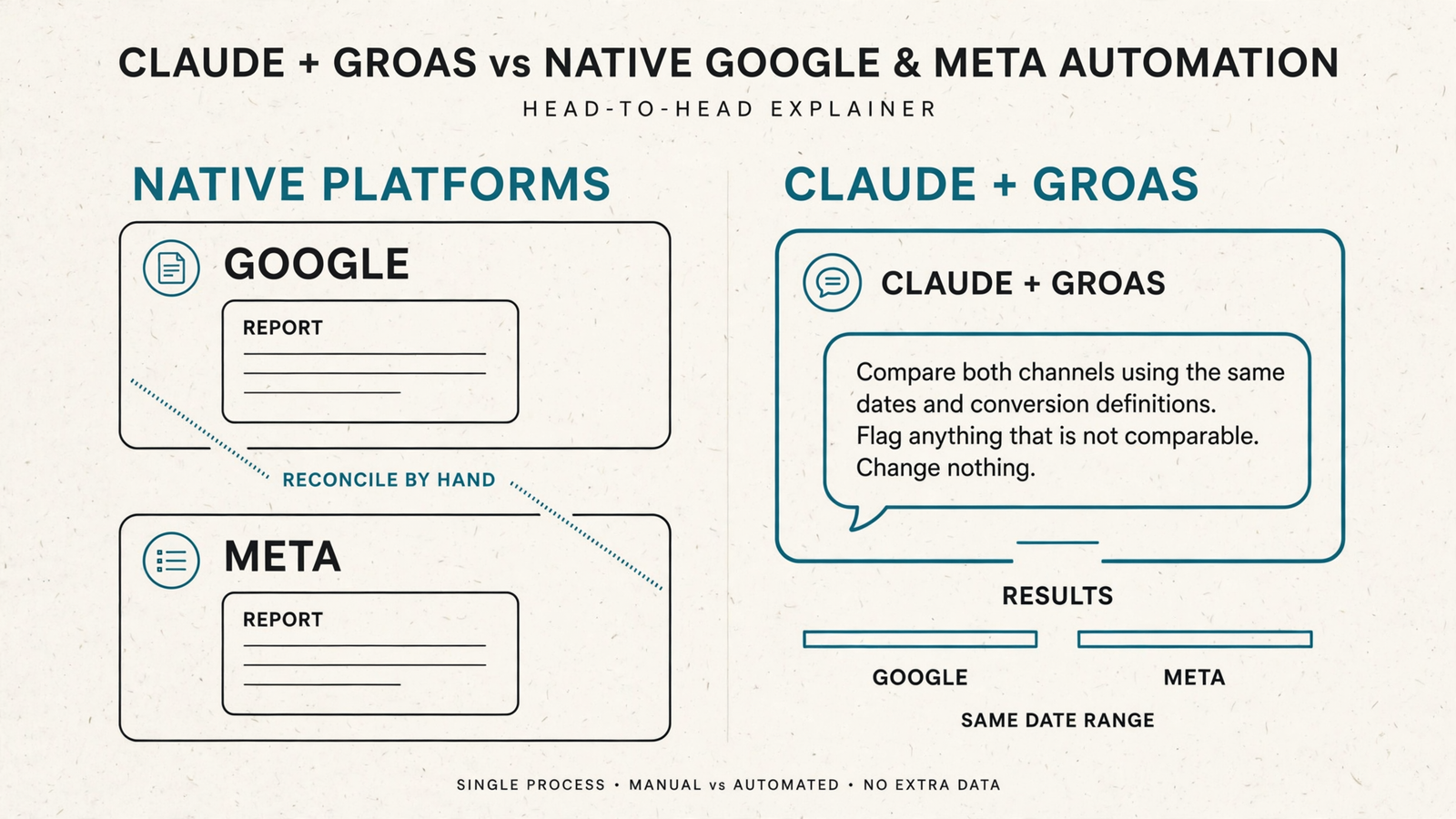
Putting two charts next to each other is reporting. Asking where the comparison breaks is investigation. For my first review, I’d ask Claude to show the mismatch rather than smooth it out. If the answer is one tidy number with no explanation of what went into it, I’m not done.
Decision scope: who sets the bid, and who decides what to change?
Smart Bidding sets the bid. Claude can help me decide whether to change the inputs. Google’s Smart Bidding documentation describes bidding at auction time, using signals such as device, location and time. Target CPA and Target ROAS are strategies for that job. Asking Claude to change a budget, add a negative keyword or edit an ad is a different job. The account change affects what goes into the auction. It doesn’t make Claude the bidder.
That’s why I keep Smart Bidding and Advantage+ doing the delivery work they’re built for. If a vendor blurs the distinction, ask what actually sets the next bid. An account edit isn’t an answer. I’ve covered the mechanics in Claude can edit Google Ads. Smart Bidding still sets the bid.
There’s an equally important limit in the other direction: a lower reported CPA isn’t proof that moving budget worked. Google and Meta can each claim credit under their own attribution rules. Putting both reports in one chat gives me a common date range and a place to flag different conversion definitions. It doesn’t give me a common attribution model, and it doesn’t tell me what would have happened without the spend. That’s the constraint behind Claude can read Google, Meta and Bing. It still cannot add up their conversions.
A side-by-side report can tell me where to look. It can’t turn a budget shift into an incrementality finding. If someone shows me a blended CPA and calls it proof, I ask for the holdout. Without one, I treat the report as a diagnostic, not a reason to move money on its own.
Execution and approval: who is allowed to touch the account?
Platform-native delivery automation and platform-native AI connectors aren’t the same thing either. Google’s official Ads MCP documentation describes reporting access and a narrow propose-and-confirm workflow for supported asset changes. That workflow uses validate_only and a checksum; it doesn’t let the connector create, modify, pause or enable campaigns, ad groups, ads, budgets or bids. Meta’s hosted Ads MCP goes further into ad creation and management, but new campaigns start as drafts or paused. Neither connector’s limits tell me what the platform’s delivery system can do once a campaign is running.
I treat analysis, approved execution and autopilot as three separate permissions. One operator in an r/PPC discussion about multichannel workflows described managing 118 Google Ads accounts without pushing changes automatically. Budget edits, negative keywords and copy changes were staged for review, like pending changes in Google Ads Editor. That’s the useful part of the example. I don’t need 118 accounts to want to see a budget edit before it lands.
Meta’s MCP security guidance spells out why the distinction matters: an agent can use the permissions it has without asking first, and untrusted content can try to steer it through prompt injection. Meta recommends read-only access unless writes are needed, plus periodic review and revocation of integrations. I take the same lesson to either setup: the permissions determine what can change, not the reassuring sentence I typed in the chat.
Here’s the order I’d use with Claude + groas:
- Investigate with read-only access. Compare the accounts and check the answer before asking for changes.
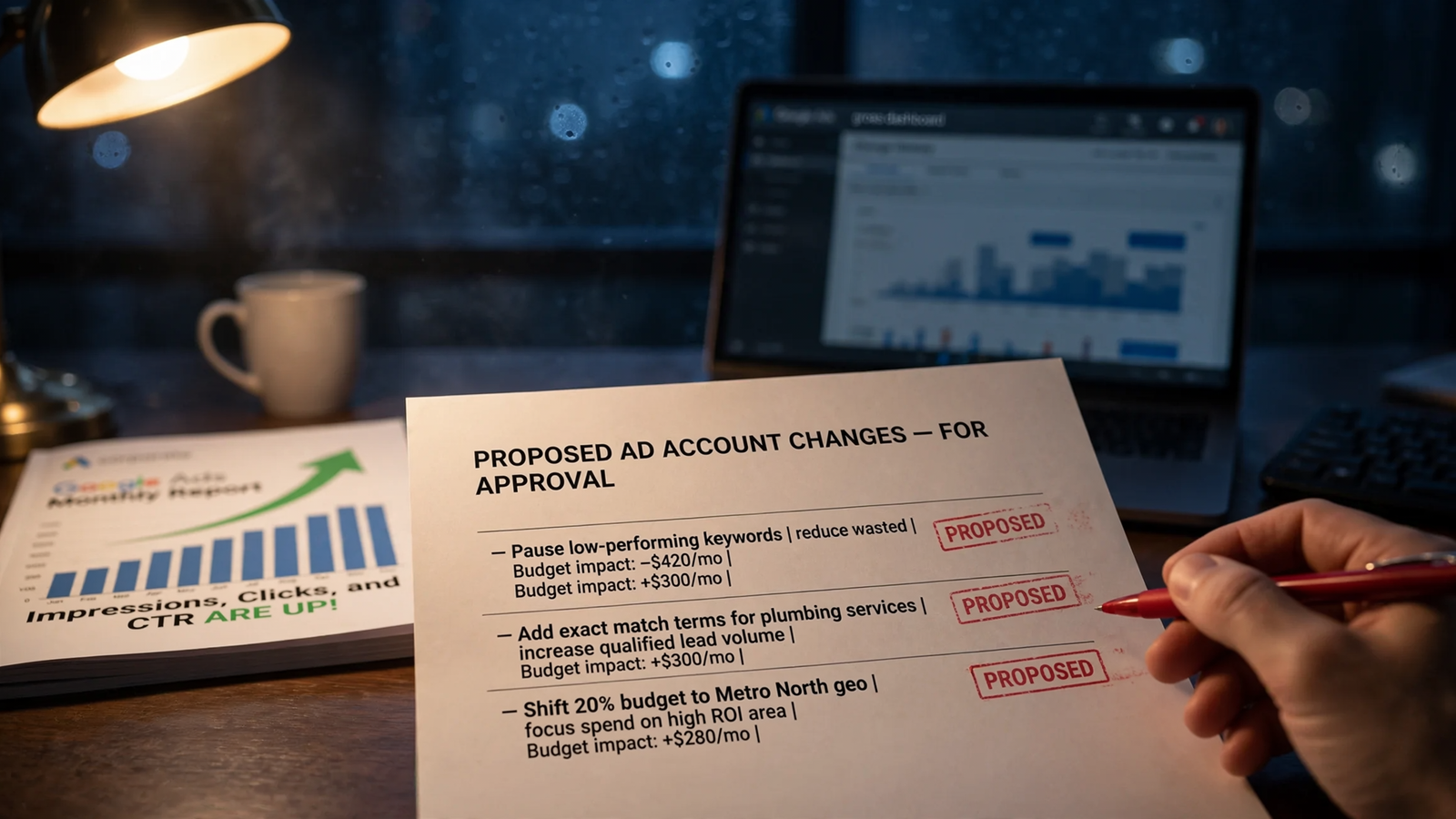
- Review the proposal before authorising writes. Ask for the account IDs, the exact edits, the reason for each one and the budget impact. Approve the changes you mean to make, not a general instruction to improve the account.
- Leave autopilot off until the rules are explicit. groas keeps it off until you switch it on. Write the rules so you can check a change against them afterwards.
Claude Code and Ads API users describe much the same progression: read-only audits, dry-run previews, then writes once access and logging are in order, with human confirmation for budget and status changes. The proposal is finished. The account is still untouched. That’s the point at which I want to make the decision.
I review the native automation settings too. A bidding setting inside Google or Meta can move spend while I’m reading a Claude answer in another window. Keeping my Claude session read-only doesn’t change what I’ve already authorised the platform to do.
Change history: can I tell what happened without opening both accounts?
I want a record of what changed and why, not just a proposal I remember approving. In the native setup, I have separate platform history views. That’s fine when the question is about one account. When I’ve worked across both platforms, I’m back to checking two places to reconstruct what happened. The proposal tells me what I meant to do. The history tells me what I actually did.
groas logs each change it makes with the reason, and each change can be undone in one step. That makes the log useful after a supervised edit and more useful still if I switch on autopilot. If the rules are clear, I can read a log entry the next morning and check whether the change fits them. If I can’t tell from the rule whether I would have approved the edit myself, I need a better rule, not a longer log. I lay out that setup in PPC on autopilot: the first-time setup runbook.
Undo isn’t a substitute for approval, just as approval isn’t a substitute for a record. I want the proposal before the write, and I want the reason in the log afterwards. If I’m not ready to review both, I’m not ready to turn on autopilot.
The verdict: add groas if the work keeps crossing channels
Stay native if you run one platform and your weekly review takes an hour. Native automation and a spreadsheet are the honest setup there. I wouldn’t add a cross-channel layer to solve a problem I don’t have.
For teams running Google and Meta that still reconcile counts by hand and carry findings from one interface to the other, Claude + groas wins. I can ask one question across both accounts, review a proposal with the reasons and budget impact, and check the log for what changed. That’s the work I want to pay to remove. The cross-channel comparison listed reporting and optimisation tools from $45 to $629 a month, depending on spend and platform coverage. groas Unlimited is $19 a month flat, with unlimited teammates, ad accounts and websites, and every feature and all the data included. I’m not paying per seat, per account or a cut of spend for the privilege of asking my own numbers a question.
I’d start with the read-only comparison, then approve individual changes once the reasoning and budget impact are clear. Autopilot can wait until I’ve written rules I can check against the log. Keep the native systems running delivery. Pick Claude + groas for the work between the platforms, and keep your hand on the switch. For teams that spend their Mondays doing that work by hand, it’s not a close call.





