LinkedIn

You already pay for Claude, your Bing account spends real money but not much of it, and now there’s another subscription on the table. I’d start with a fresh export. Does a small Bing account need a live connection to Claude, or will the files do? Smart people disagree because one side prices the answer and the other prices the work of getting that answer again and acting on it. A live connection doesn’t make Claude better at reading the same table. It earns its $19 a month when the checks repeat and I want to approve the fix without leaving the conversation.
The case for the export: answer the question without another subscription
Start with the job I actually have: find out where Bing spent money last month without recording a conversion. I’d pull the campaign and keyword reports and the search terms report from Microsoft Advertising, upload them to Claude, and ask it to show its work. Claude doesn’t need account access to compare spend and conversions in rows I’ve already given it. For a monthly review that ends with me making a change by hand, that’s the case against paying.
I want the campaign and keyword reports to show where to look, then the search terms report to show what people actually typed. Those are two different jobs. A keyword with spend and no conversions is a place to start looking. The wording of a search term gives me something to judge against the offer. I don’t want Claude to skip that second step and hand me a list sorted by spend with the word “waste” at the top.
Make Claude show the evidence, term by term
I’d give Claude a prompt that keeps it inside the files:
Use only these export files. Identify possible wasted spend, explain the evidence term by term, and list what the exports can’t establish.
“Possible” is doing real work there. I used to hand clients lists of “wasted” terms. I was wrong to call them wasted. On a small account, 12 clicks and no recorded conversions could mean the query doesn’t match the offer. It could also mean I’m three clicks away from a conversion. The wording can help me spot a mismatch. The zero on its own can’t tell me which problem I have.
I want Claude to separate the terms it can make a case against from the ones it can only flag. If the wording points to a mismatch, Claude should be able to explain what the person appears to want and why that isn’t what I sell. If the entire case is “12 clicks, zero conversions,” I’d leave the term on the review list. That’s still a useful answer. I asked for a review, not an obligation to change something.
Check three things before making a change
- Dates. Confirm the files cover the period I mean to review. I don’t want to compare a full month in one file with part of it in another and ask Claude to explain the difference.
- Conversion definition. Make sure the report measures something that matters to what I sell, not a pageview someone added in 2019.
- Reporting lag. The Microsoft reporting guide says clicks can take up to two hours to process, conversions up to three hours, and invalid-traffic adjustments a week or more. I don’t treat today’s numbers as complete just because the file downloaded today.
Once those checks are done, I can make the change by hand if the evidence warrants it. If that’s all I need Claude to do this month, I have my answer without another subscription.
The case for a live connection: stop rebuilding the same review
The strongest case for connecting Claude starts on the tenth review, not the first. Every time I ask the same question, I download a report, rename it so I know which month it covers, upload it, paste the context again, and check whether the numbers in the chat still match the account after last week’s change. The handoff is the tax. In one r/ClaudeAI thread, a manager with multiple clients said exports and copy-pasting into Sheets ate Mondays. Centralizing the data took reporting from three or four hours to about 30 minutes. That’s not a Bing result or a time-saving estimate for a small account. It shows where the work goes when I have to assemble a report before I can read it.
Microsoft’s MCP use-case guide lists account summaries, campaign and keyword breakdowns, keywords with spend but no conversions, anomaly detection, 180 days of change history, and exports for Excel or Power BI. The item I’d pay attention to is the least impressive one in the demo: keywords with spend but no conversions. It’s the same question I asked of the files. Next week, I can ask it again without rebuilding them.
Change history is useful for the same reason. If CPA moved on Friday, I can check whether a bid changed on Tuesday. That doesn’t establish that the bid caused the move; it gives me something specific to look at. A performance export can show me Friday. It doesn’t, on its own, tell me what changed on Tuesday.
Keep the first pass read-only
Microsoft’s Advertising MCP server is free to connect, apart from any cost for the assistant or its token credits. It gives me a fresh read without the download and upload. What it can’t do is turn that read into an account change. I still leave the chat, open Microsoft Advertising, find the term, and add the negative myself.
Through groas, Claude can inspect the connected Bing account and make a change when I approve it. I’d start the review the same way either way:
Review the last complete reporting period. Separate likely intent mismatch from insufficient evidence. Do not change anything.
“Do not change anything” is the point of the first pass. I want Claude to tell me why a query doesn’t fit what I sell, not just point to the zero in the conversions column. If it can’t separate a mismatch from a term that hasn’t had enough clicks to judge, it isn’t ready to touch the account. A live connection removes the file transfer. It doesn’t lower the bar for a decision.
Approve one change I can check next time
“Clean up the search terms” isn’t a proposal. I want one change, with the scope spelled out before I approve it. That means:
- The account and campaign.
- The search terms affected and the exact change proposed.
- The reason for making it and the spend or clicks involved.
- What stays untouched, so I know what I’m approving.
Say Claude proposes adding three search terms as negatives in one named campaign. The terms spent $84 last period and recorded zero conversions. Claude explains why they don’t fit the offer and says it won’t touch bids. The mismatch is the reason to act. The $84 tells me what those terms spent, not what I’m guaranteed to save or how much spend will go to terms that convert. If Claude can’t write the proposal that plainly, it hasn’t finished the review. It’s produced a vibe.
With groas, I can approve the change in the same conversation. It’s logged with the reason, and I can undo it in one step. That matters when I come back next period to check whether the terms stayed blocked and where the spend went. If I add the negatives by hand three days after the chat, the chat has the recommendation and the account has the change. A month later, I’m the one trying to piece together why I made it. The log keeps the decision with the action, where I can check both.

Cross-examination: fresh data isn’t complete data
Here’s the limit the export side tends to skip. Microsoft’s search terms report includes only terms with a significant number of clicks in the period. Its impressions can be a fraction of what I see in campaign and keyword reports. On a small Bing account, where the auction is already thin, terms can spend money a click at a time without showing up in that export. Claude can’t analyze rows it never sees. A tidy list of terms to investigate isn’t an accounting of every click I paid for.
The live side doesn’t get to claim those rows either. A connection still queries the reporting pipeline and is subject to the same reporting lag. Microsoft’s conversion-delay view exists because conversions can land after the clicks that produced them. A report pulled straight from the account can look fresh and still make a term look dead before its conversions come in. Neither route guarantees savings. I check the lag before I call the spend waste.
Price the assistant, the setup, and the connection separately
Free to connect isn’t the same as free to set up. Microsoft’s setup guide calls for access to the target accounts and, for Claude and ChatGPT, a Microsoft Entra ID app registration and OAuth client setup. After that, Microsoft’s connector is still read-only. If I want to approve a change in the conversation, getting a fresh report solves only the first half of the problem.
Then there’s the assistant bill. Anthropic limits Claude Free users to one custom connector, so if I want groas and another connector, I may need a paid Claude plan. Claude Pro is $20 a month when billed monthly, or $17 a month with the annual discount. groas Unlimited is $19 a month flat for the whole team, with every feature included. If I already pay for Claude, the question is whether groas is worth another $19. If I’m pricing both from scratch, I don’t mistake the connection price for the whole bill.
The verdict: stick with the export until the handoff repeats
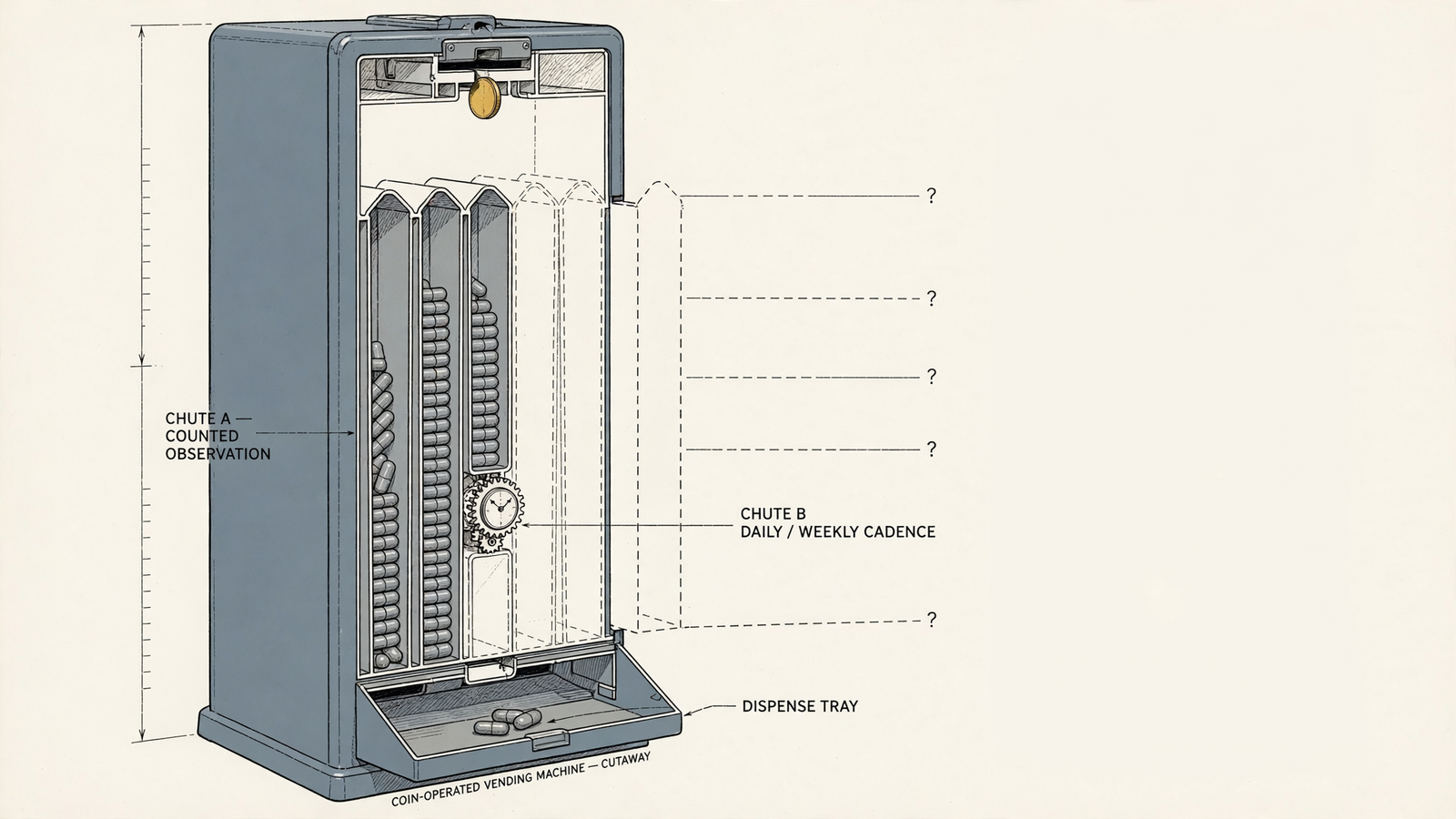
For a small Bing account, I’d start with a fresh export to Claude. It answers the wasted-spend question as far as the data allows, forces me to check dates, conversion definitions, and lag, and costs nothing beyond the Claude plan I already have. If I review once a month and I’m comfortable making the occasional change by hand, I’m not buying a subscription to remove a handoff I barely make. That’s my ruling for that reader, not a compromise.

The deciding consideration for me is frequency multiplied by action. I’d count the last four reviews and look at what happened after each one. Did I download, upload, and explain the same account again? Did the review end with a recommendation I wanted to put into effect? If both keep happening and I want to approve the fix without leaving the chat, that’s where groas at $19 a month, flat earns its price.
Frequency alone buys me fresher reports. Execution on an account I rarely touch saves me a trip I rarely make. Put them together and I can ask the same question next week, approve one change, and come back to a record of what changed, why, and how to undo it. That’s the difference I’d pay for, not a more confident explanation of the same zero in the conversions column.
I’d leave autopilot off unless I deliberately wanted it on. The reason to connect Claude here is to run the review again and approve one change at a time, not to let it wander around the account at 3 a.m. I’d keep the export for occasional analysis. Once the handoff becomes part of my week, I’d start with the $30 in free credits, run one bounded review through groas, and compare it with the export I’d have done by hand. Judge the handoff, not which answer sounds smarter.