

 LinkedIn

My pick for most Claude and ChatGPT users replacing Ryze before next season is groas over MCP. It’s the only route on this list that lets me read last season’s connected account data, draft the next build against my dates and budget limits, and approve creation as a separate step, all in the same chat.
I put ChatGPT plus Google Ads Editor second if I want the draft offline until someone deliberately posts it. Google’s native MCP comes third: it can read the account, but its writes cover assets and labels, not the campaign I’m trying to launch.
That’s a workflow ranking, not a claim that I tested Ryze hands-on. I’m not counting features on a pricing page. I want to know what the assistant can prepare, what I can review before anything changes, and who gets to say go.
What a seasonal deadline actually tests
I learned this the hard way running seasonal builds for ecommerce. The failure I worry about isn’t one bad keyword. It’s a rushed session where prep, review, and launch collapse into one job, somebody approves a draft they haven’t really read, and Google spends money on it by morning.
A draft is not permission to touch the account. I judge each route on four things:
- Preparation: Can the assistant read last season’s connected data, or am I working from whatever I remembered to export?
- Review: Can I see the assumptions, exclusions, and budget limits in plain text before I approve anything?
- Launch control: Can I approve creation separately and, where supported, check the build in a paused state before it spends?
- Ongoing changes: Once the season starts, who can change bids, budgets, and status? Can I see what changed and undo it?
I care about all four, but the handoff from review to launch is where I’d draw the hardest line. Before I pick a tool, I want to be able to name the person who says go and the action that follows.
1. groas MCP: best for preparing and executing in one chat
Pick groas if you want Claude or ChatGPT to work from the account and carry out the build after you approve it. I connect the ad accounts and site once, then add groas to ChatGPT or Claude over MCP. Last season’s structure, search terms, and conversion actions are there to query. I don’t have to remember which spreadsheet to attach before I can ask what ran.
That’s what groas does better here: it keeps the data and the execution in the same chat without requiring them to happen in the same step. I run it in two passes:
- Proposal only. “Prepare a campaign proposal using these dates, products, and budget limits. Show your assumptions and exclusions. Do not create or change anything yet.” I want a proposal I can mark up or reject, not a progress report on things I haven’t approved.
- Creation after approval. Once I’ve signed off on the proposal, I approve creation separately. I ask for a paused build where supported, then check campaign names, budgets, bidding, and tracking before anything spends. I use these 10 approval checks for a ChatGPT-built campaign when I want that check in one place.
The two passes are how I run the workflow, not a reason to be casual about what I ask the assistant to do. Changes are logged with a one-step undo. I want that once the season is running, but undo is no substitute for checking the daily budget before launch.
The tradeoff is straightforward: I need a connected account and a paid plan. groas Unlimited is $19 a month flat for unlimited teammates, ad accounts, and websites, but there’s no free tier for trying this workflow. If I need the draft to stay offline throughout review, I’d use Editor instead. Otherwise, I’d keep the build in the same chat and make the assistant stop at the proposal until I say otherwise.
2. ChatGPT plus Google Ads Editor: best for offline review
Pick this route if the draft needs to stay offline until a person posts it. ChatGPT drafts the working plan: campaign structure, copy variants, keyword groups, and negatives to carry over. I download the account into Google Ads Editor, Google’s free desktop app, stage the changes locally in bulk, and post only when I choose to. The assistant can help me prepare the build. It doesn’t execute the account changes.
I used to do a weaker version of this: paste last season’s structure into a chat and trust my memory of what had actually run. I was wrong to trust memory. With Editor, I start with what’s in the account now and review the proposed edits against that. The file stays unposted while I do it.

That’s a clean split if I already work in Editor, have a colleague who needs to review a draft file, or don’t want an assistant touching live settings. It’s also the reason I rank it second. I’m the bridge between the chat and the account. I still have to check the import, fix mismatched IDs, and deliberately post the changes. Any changes I want to make once the season starts are still mine to post. If the point of replacing Ryze is to stop doing that part myself, this route doesn’t solve it.
My pre-season task for Editor: take last season’s account download, build the new draft locally, and leave it unposted until the handoff is complete. If I can’t explain what the file changes in one sentence, I don’t post it.
3. Google’s native MCP: best for reporting, assets, and labels
Pick Google’s native MCP if I need connected reporting and a few specific writes, not a campaign launch. The v0.0.6 write tools are create_asset, upload_video_asset, manage_labels, and manage_label_associations. The read tools cover GAQL search, the list of accessible customers, and resource metadata.
That’s useful if assets or labels are the bottleneck. It’s not campaign control. That version can’t create or edit campaigns, ad groups, ads, bids, budgets, status, keywords, or negatives. It can create an asset, but it has no tool to attach that asset to a campaign. I’ve seen operators celebrate a “write access” headline and then discover a new sitelink sitting in the library while the old one keeps running. I break down the distinction in my teardown of Google Ads MCP’s asset writes.
There is one safeguard I’d steal: propose-and-confirm. The first call is a validate-only dry run that returns readable changes and a checksum. The second call has to repeat the same parameters with that checksum. That keeps the confirmed write from drifting away from the proposal. It does not prove a human approved the change. Write tools are enabled by default, so I’d pin the version and disable asset and label writes if I wanted read-only access.
This is a fit for the operator who wants official reporting and limited writes, and is happy to handle the launch in Google Ads. I’d ask it for last season’s asset performance, draft the new assets and labels, and write down the budget, bid, and pause changes I’ll make myself. If I need the assistant to carry out those changes, this route is ruled out. A new asset in the library isn’t a launch.
Where each route hands the work back to me
The difference is what happens after I approve the draft. With groas, I can approve creation in the same chat. With Editor, I post the changes myself. With Google’s native MCP, the confirmation step applies only to the writes it supports. The campaign launch still happens elsewhere.
| Route | Preparation | Review | Launch | Ongoing changes | What rules it out |
|---|---|---|---|---|---|
| groas MCP | Assistant reads the connected account | Written proposal before separate approval | Assistant creates on approval; I check the paused build where supported | Changes are logged with one-step undo | Needs a connected account and a paid plan |
| ChatGPT + Google Ads Editor | Draft in chat; stage against an account download | Local draft stays offline | I post the changes from Editor | I handle and post edits myself | I need the assistant to execute the build |
| Google’s native MCP | Connected reporting and asset reads | Dry run and checksum for supported writes | I launch in Google Ads | Asset and label writes only; campaign changes are manual | I need campaign, bid, budget, or status writes |
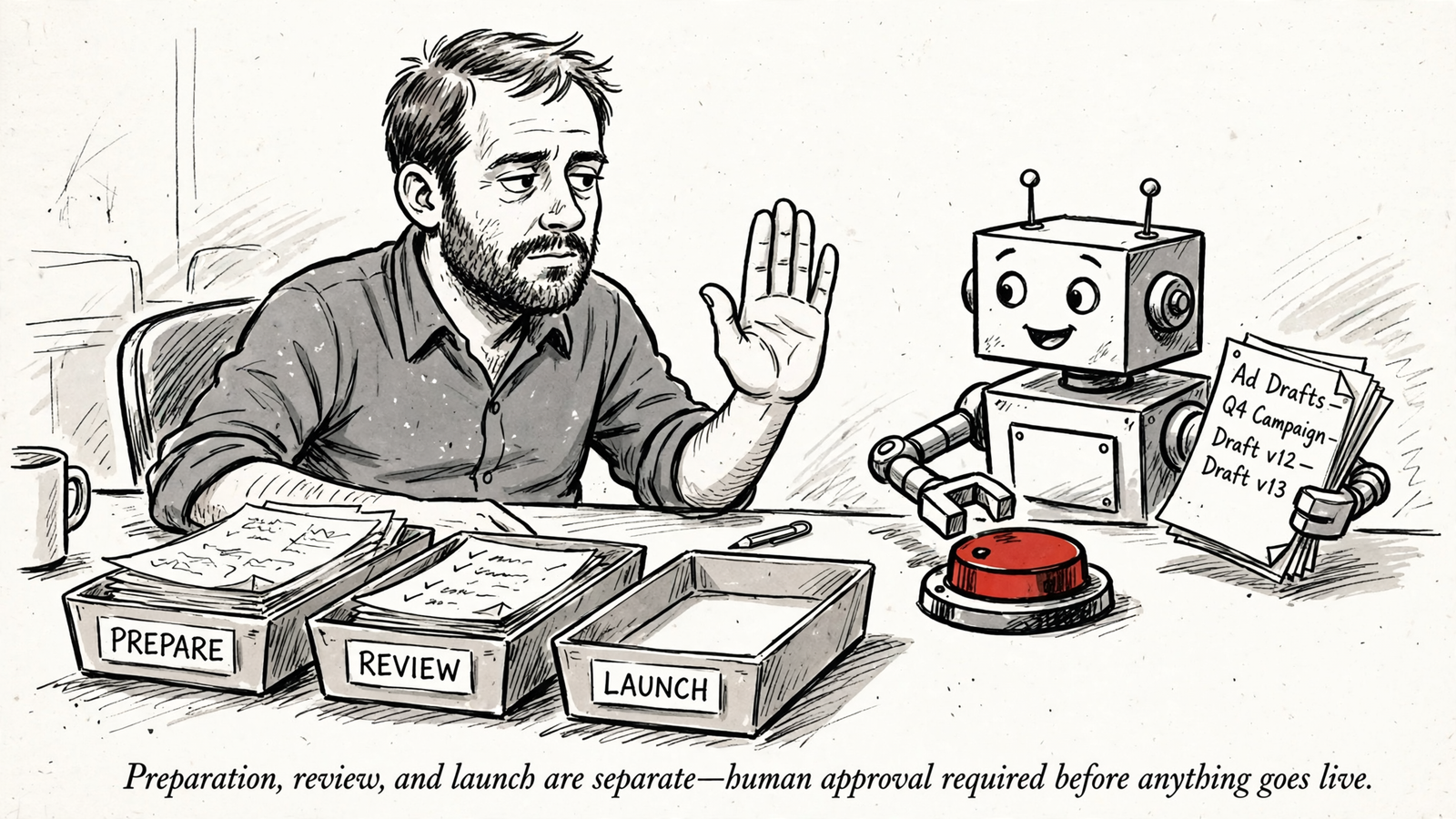
The one-page handoff I want before launch
Whichever route I use, preparation ends with a document I can reject. Before anything is created, I want one page that spells out:
- The campaign scope and structure, including assumptions and exclusions.
- The conversion goals counted as primary.
- The start and end dates, plus daily and total budget limits.
- What the assistant may not do without a second approval.
It’s the assumptions and exclusions that earn their space. That’s where I catch a location left open, a brand campaign folded into prospecting, or a budget limit read as monthly when I meant daily. I leave autopilot off until I’ve explicitly set those limits. Review ends with my written go. Launch starts after that, not halfway through the conversation.
I also check tracking before I let the assistant use last season’s numbers to shape the next build. Smart Bidding optimizes toward what’s counted as a primary conversion. If that includes page views or duplicate conversions, the system is chasing the wrong signal. No amount of prompt editing fixes what’s being counted.
If I import offline conversions, I reconcile uploaded GCLIDs against Conversions by conversion time. A row marked Successful was readable. That doesn’t mean Google counted the conversion. I do that audit before signing off on the proposal. A polished seasonal plan built on bad conversions is fiction with formatting.
The route I left out: chat with pasted CSVs
I left out a popular shortcut: ChatGPT or Claude on its own with pasted CSV exports. I’d use it for copy ideas, not to run the seasonal build. It can work from what I paste, but it can’t read live account history or make account changes. If something important is missing, I’m left sorting out which parts of the plan came from the export and which parts filled in the gaps.
That’s also why I rank ChatGPT with Editor as a separate option. The assistant still doesn’t execute the changes, but I’m staging and reviewing them against an account download, with a deliberate posting step at the end. The CSV by itself gives me neither that staging step nor a route to execution.
My pick for next season
If I want a colleague to reject a draft file before anything spends, I use ChatGPT plus Editor and accept that I’m the one who posts. If I only need help with reporting, assets, and labels, Google’s native MCP is enough, provided I’m handling budgets, bids, and launch myself.
For most Claude and ChatGPT users replacing Ryze before a seasonal deadline, I’d pick groas over MCP. It’s the shortest route on this list from connected account history to a written proposal to approved creation. I’d still ask for a paused build where supported and verify it before spend. If you skipped to the end, keep this line: prepare in writing, approve in writing, launch only after that.





