

 LinkedIn

Connect ChatGPT to Bing Ads on Monday morning and it can tell you which search terms spent money last week without a reported conversion. If a campaign starts wasting spend that night, the connection alone won’t make ChatGPT notice, warn you or fix it.
A connection gives ChatGPT tools it can call when you ask it to do something. It doesn’t create a job that keeps running after the answer lands. The short version is “MCP is not a scheduler”: it gives a running client tools. It doesn’t wake that client up on a timer. I spent years doing the 1am negative-keyword check by hand. I understand the appeal of having something else do it. But giving an assistant access and putting it on the night shift are two different jobs.
Microsoft’s own connection makes the first job easy to see. Its Microsoft Advertising MCP tools, including GetCampaigns, GetAdGroups, GetKeywords and GetChangeHistory, “never modify account data”. They return information, usually for a customer ID, an account ID and a date range you supply. Microsoft’s example prompts follow the same pattern: “Give me a performance summary for the account for the last 7 days” or “List ad groups with zero conversions and more than $50 in spend”. You choose what to ask, when to ask it and what period to look at.
What happens when you ask about Bing performance
One question starts one chain of work
Here’s what happens on the groas setup. You type a request. ChatGPT picks the groas tool that fits it. groas calls your connected Microsoft Advertising account, and the account returns rows for the period you asked about. ChatGPT reads the rows, does the maths and writes the answer. You started that chain by asking a question. Nothing in it waits around for the next problem.
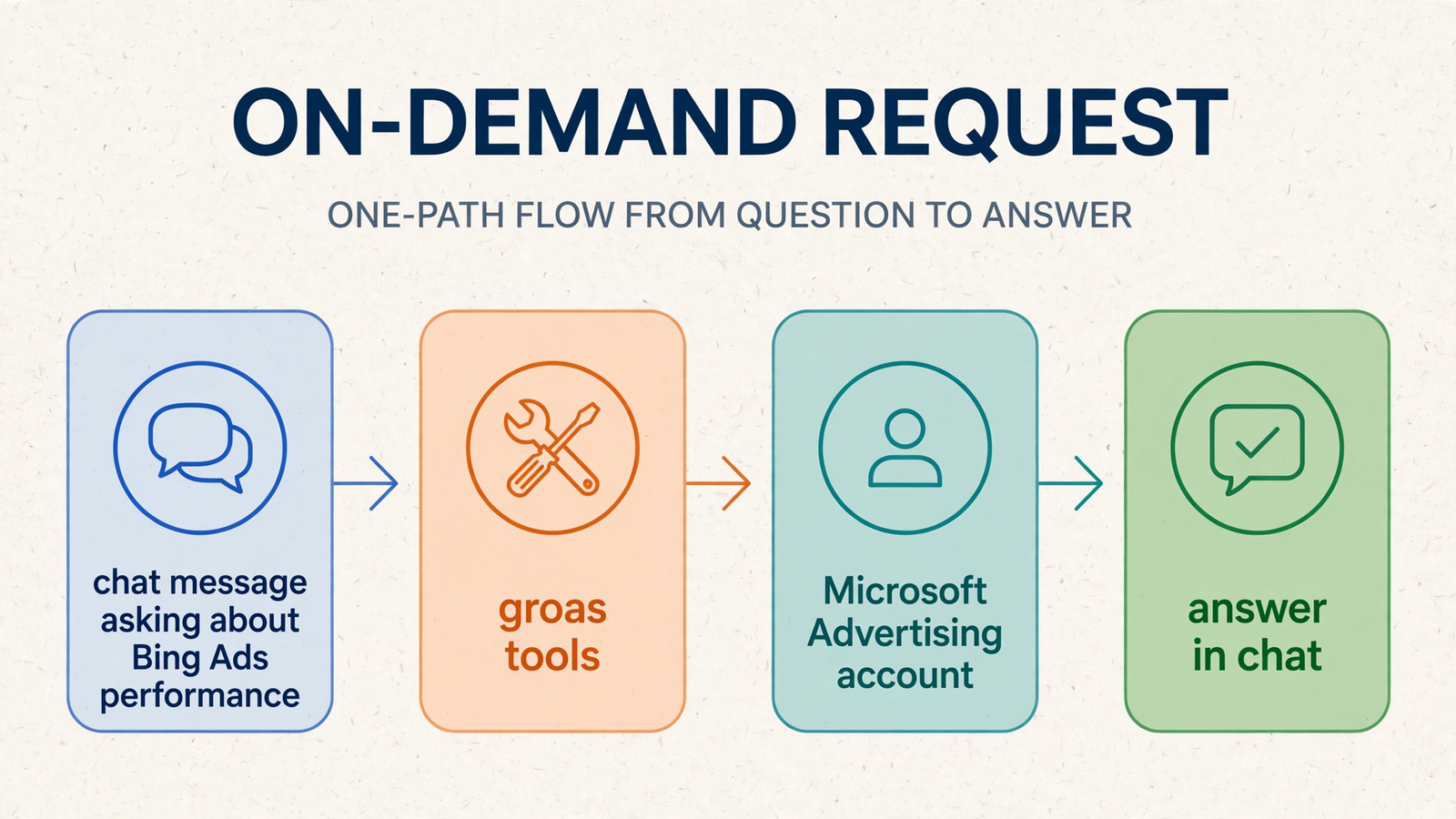
Say you’re spending $20k a month on Bing. It’s 10am on Monday, and you want to know which search terms ate into that budget without a reported conversion. I’d ask like this:
Read Microsoft Advertising account [ID] for the last seven complete days. Show the highest-spend search terms with no reported conversions and the evidence limits. Make no changes.
The account ID removes any doubt about which account to read. The seven complete days give you a window you can check without mixing in a Monday you’re still spending through. And “Make no changes” makes it clear that you want analysis, not an edit. A good answer gives you a snapshot you can act on or leave alone. It doesn’t make that decision for you.
A complete day isn’t the same as complete data
The account keeps moving after the answer lands. Some of the data for the period you just asked about may still be catching up, too. Microsoft lists reporting delays of up to 1 hour for clicks and impressions, 2 hours for UET conversions, 3 hours for search terms and 2.5 days for auction insights.
That’s why I ask for search terms with no reported conversions. Some of those terms may not have converted. Others may have conversions that haven’t appeared in the report yet. Spend after the reporting window is a different matter: it was never part of the question. Neither makes the Monday answer useless. Both put a limit on what you can conclude from it.
I date-stamp the window so I can go back and check the same period. “Last seven complete days” gives me something to verify. “How are my ads doing?” is a mood.
Prove the read before you ask for a write
I’d keep the first week read-only. Look at ROAS, CPA and the spend the assistant flags as waste, then check the numbers against Microsoft Advertising. If they don’t match, that’s the problem to sort out before you discuss changing anything in the account.
In an r/PPC discussion about connecting AI to ad accounts, practitioners describe how a self-built setup can take about 20 hours of API and OAuth work and still leave you needing clear instructions for the assistant. With groas, connecting in ChatGPT takes two clicks and no code. That saves you setup work. It doesn’t save you the job of deciding what the assistant should and shouldn’t do.
There’s one more distinction here: a write instruction tells the system what it can change, not when it should go looking for something to change. As OpenAI’s documentation on scheduled tasks makes clear, a connection is not a trigger. A scheduled task needs its own setup. Leaving the tab open isn’t one.
What has to run between chats
If you want work to continue after the conversation ends, something other than the conversation has to keep running. That’s the first test. The second is whether you’ve told that process what it’s responsible for, what it can spend and what it’s allowed to change. Having rules written down doesn’t mean a process is running. Having a process running doesn’t mean you’ve given it good rules.
groas autopilot is that separate process. It’s off until you switch it on. Once enabled, it can run around the clock under the goals, budget and guardrails you set. The Microsoft Advertising connection gives ChatGPT access for the Monday question. Autopilot is what you configure when the job needs to carry on after you’ve closed the laptop.

Choose the mode by when the work needs to happen
Monday’s question: ask on demand
For the $20k account, suppose you want to start the week with a list of search terms worth a closer look. You don’t need anything running overnight to get that list. Name the Microsoft Advertising account, give the reporting window and ask for the limits alongside the numbers. Then decide what to do with the answer.
I used to do this check manually on Monday mornings. The value was never the dashboard. It was the short list of exceptions: where the money went, what it produced and what I’d look at next. If the job ends when you have that list, on-demand analysis is enough. If the job is to catch a problem on Wednesday night rather than read about it the following Monday, even a perfectly written Monday prompt can’t do it.
Wednesday night’s problem: configure autopilot
When I want work to carry on between chats, I start with the same account but ask a different set of questions. The $20k monthly spend describes the example. It doesn’t tell autopilot what it can spend, which campaign it can touch or which calls I want to keep for myself. I have to set those rules separately:
- Scope: Name the Microsoft Advertising account and the campaigns by ID. Leave everything else out.
- Goal: State the outcome to optimise for, such as CPA or ROAS, using a number you already use to judge the account.
- Budget limit: Set the ceiling autopilot can’t cross without your approval.
- Allowed actions: List the specific changes it can make without asking.
- Changes requiring approval: Name what has to wait for you, especially changes to bids, budgets or creative you want to control.
I’d ask for a draft before asking for anything to run:
Help me define autopilot rules for campaign [ID]: goal [goal], budget limit [limit], allowed actions [list], and changes requiring approval [list]. Do not enable it until I approve the rules.
That last sentence gives you something to read and correct before a switch gets flipped. If “run my ads” is the whole brief, you haven’t said what to do when the numbers look bad or which decision still belongs to you. Turn Off ChatGPT Ads Enhancements Until Your Guardrails Are Set covers why I’d settle those questions before enabling automated changes. For the two modes side by side, Claude on Demand vs groas Autopilot shows which job belongs where.
Check the record, not the promise
An on-demand answer is easy to grade. You asked about a named window and got numbers you can compare with Microsoft Advertising. Ongoing work needs a different check because you weren’t there for each decision. When groas autopilot makes a change, it logs the change and the reason, and a supported change can be undone in one step.
I’d check the record the way I’d check a junior manager’s work. What changed? Which campaign did it affect? What goal was it meant to serve? What did the system see that made the change look right at the time? The log gives you a decision to inspect. A logged action with a reason is something you can argue with. An unlogged one is just a result you’re left to explain to somebody else.
The record doesn’t tell you that the change worked. If the $20k account’s CPA looks better the next morning, that’s not the same as knowing the change improved it. You still have to judge the result against the goal and give the reporting window enough time. The lag that mattered for Monday’s search-term report still matters when you’re looking at the outcome of an automated change. Read the log to check what happened and why. Read the performance data to judge what it produced.
Run the model on a Friday handoff
Take the same $20k account, but move the decision to Friday afternoon. You ask ChatGPT through groas for the highest-spend search terms with no reported conversions over the last seven complete days. You name the account and say, “Make no changes.” The answer is tidy. You close the laptop feeling covered for the weekend.
Run the model. You had the tools to read the account. You gave the assistant a defined window and a clear instruction not to change anything. It did the job you asked for. But which process is going to check the campaign on Saturday? What is it supposed to watch for, and what can it do if it sees it? There’s nothing to point to. You finished a review; you didn’t start a monitor. The Friday answer can be good and the weekend can still be uncovered.
Now change the handoff. Keep the Friday review, but draft autopilot rules for one campaign before you leave. Read them back, correct the budget limit and only then switch autopilot on. The connection hasn’t changed. What’s changed is that there’s now a process running within a defined scope, with a goal, a spending limit and instructions about which decisions it can make. Those rules cover one campaign, not the rest of the account.
On Monday, I’d still ask how performance looks. But I’d also check whether autopilot made any changes over the weekend, what reasons it recorded and whether the data is ready to judge the result. The report and the log answer different questions. One tells me what the account did. The other tells me what the system did about it.
If all you need is the Friday answer, add groas to ChatGPT, ask for the window and stop there. If you need one campaign covered after you leave, configure that job and turn it on deliberately. Connect for the answer. Configure autopilot for the work between chats. On Monday, check the record.





