LinkedIn

Connect Claude to your ad accounts on Monday. On Tuesday, Google and Meta can still bid, but the connection alone hasn’t put anyone on the overnight shift.
A connection gives Claude access, not a shift to work
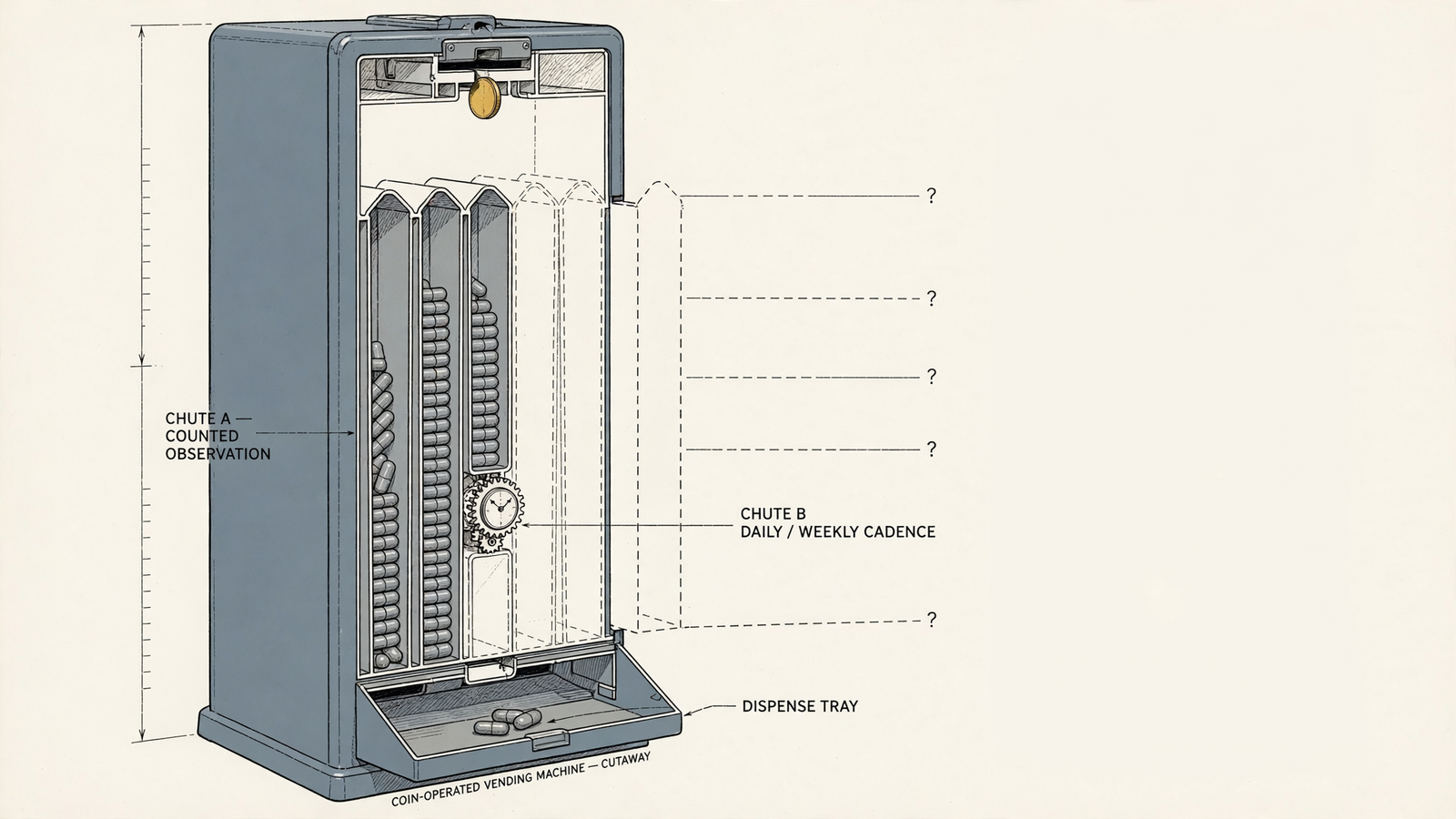
I spent the better part of a decade managing Google Ads by hand, and I understand the temptation to call every automation campaign management. A bid strategy adjusting in an auction is doing work. So is Claude pulling a report or submitting a change you approve. So is an autopilot that acts after you close the laptop. But each starts for a different reason: an auction happens, an assistant calls a tool, or an enabled background policy calls for action. Mix those up and you either leave work unattended or give two systems instructions that can collide.
I’ll use one request throughout: “Review Google and Meta performance for the last 30 days. Propose a budget change, but do not apply it.” A reporting connector can supply the numbers Claude needs to make a proposal. An action-capable MCP connection could also submit a change if you later authorize it. Neither puts Claude on overnight duty. To get work done between conversations, you have to enable a separate mode, such as groas autopilot, and give it rules to work under.
Clock one: Google and Meta keep bidding within the settings you give them
This clock is already running before Claude enters the picture. Google Smart Bidding sets bids in each auction using signals such as device, location, time, and remarketing membership. Google says it “continuously learns in the background” from historical and new conversion data, whether or not the campaign shows Learning status. Meta describes a similar division of labor: you set the strategy, budget, and goal; Meta adjusts bids for impressions within those constraints.
Changing a target doesn’t make Claude the bidder
Say you move a target CPA from $40 to $35. That’s a business decision about what you’re willing to pay for an acquisition. Google’s auction-time work is figuring out what to bid under that new instruction. If Claude submits the target change through MCP, it changes what Google works toward. It doesn’t take over the bidding decisions Google makes after the chat closes.
The same distinction applies to our 30-day review. Asking Claude to recommend a budget move doesn’t change the budget either platform works with. Approving and verifying the move changes those budgets, not who bids. The platform owns the auction. You, or a system you explicitly authorize, own the instructions it bids under. If a connector’s sales page blurs that distinction, ask which auction decision the connector actually makes.
Clock two: Claude reads or acts when a workflow calls a tool
“Propose a budget change, but do not apply it”
I like this prompt as a test because it asks for judgment and sets a boundary in the same breath. Pull the numbers. Tell me what moved. Recommend a change. Stop before touching spend. I used to grade junior media buyers on much the same thing: could they find the waste, and could they stop before spending money on their own judgment? The standard hasn’t changed because the buyer now has a model number.
groas supplies the account data; Claude reasons over what comes back
When I connect Claude to groas over MCP, Claude doesn’t suddenly have the accounts in its memory. The mechanism is more mundane:
- The AI application discovers the tools the server makes available.
- Claude generates a request for a tool, and the application routes it to groas.
- The tool returns results to the conversation, and Claude reasons over those results.
That’s the distinction the MCP architecture makes useful: Claude gets the evidence the tool returns, not an all-seeing view of the account. If the reports use different definitions or leave out part of the date range, a polished recommendation doesn’t fix the input.
The MCP Tools spec describes invocation via tools/call and says there “SHOULD always be a human in the loop with the ability to deny tool invocations.” That’s a design recommendation, not proof that your setup will ask before a sensitive write. Check what the application shows you and where it asks you to confirm. And if a vendor says a connector will keep optimizing while you sleep, ask what starts that workflow. A connection makes tools available; it doesn’t, by itself, tell anything to call them overnight.
The tool list tells you what can actually change
A reporting connection can return the evidence for our budget proposal. An action-capable connection can also submit a budget change if it exposes the right tool. The name on the connector doesn’t tell you which you have. The official Google Ads MCP server documentation, for instance, lists write support for standalone asset creation, video uploads, and label management, not campaign budget or bid changes. If you want Claude to apply a budget decision, those writes aren’t the ones you need.
I’ve seen buyers mistake a fluent proposal for confirmation that a change went through. Nothing was submitted. The reverse mistake is to grant write access, ask for a “quick fix,” and be surprised when a real setting changes. Keep read, draft, and write permissions distinct. Start with read access and explicit approvals for spend changes, not the assumption that Claude will know when “take a look” turns into “go ahead.”
Check that both reports answer the same question
Before Claude’s recommendation earns a dollar, I check four things in the Google and Meta reports:
- Dates: Do both reports cover the same 30 days, or does one include a partial day?
- Attribution: Is one report using last click and the other a seven-day click window? The same customer can appear in both totals.
- Conversion lag: Are purchases from the last 48 hours still pending in one report while the other already includes newer conversion data?
- Account identity: Is this the Meta account you meant to review, or the sandbox someone connected in 2024?
Both connectors can return accurate numbers and still leave you with a bad comparison. If the reports don’t line up, fix the comparison before you act on the proposal.
Follow one $500 budget move from proposal to proof
Suppose the review recommends moving $500 a day from a Google campaign buying expensive clicks to a Meta ad set bringing in cheaper qualified leads. You’ve checked the evidence and want to make the move. You’re no longer asking Claude what it thinks. You’re telling it what it may change.
Approve the exact settings, not the general idea
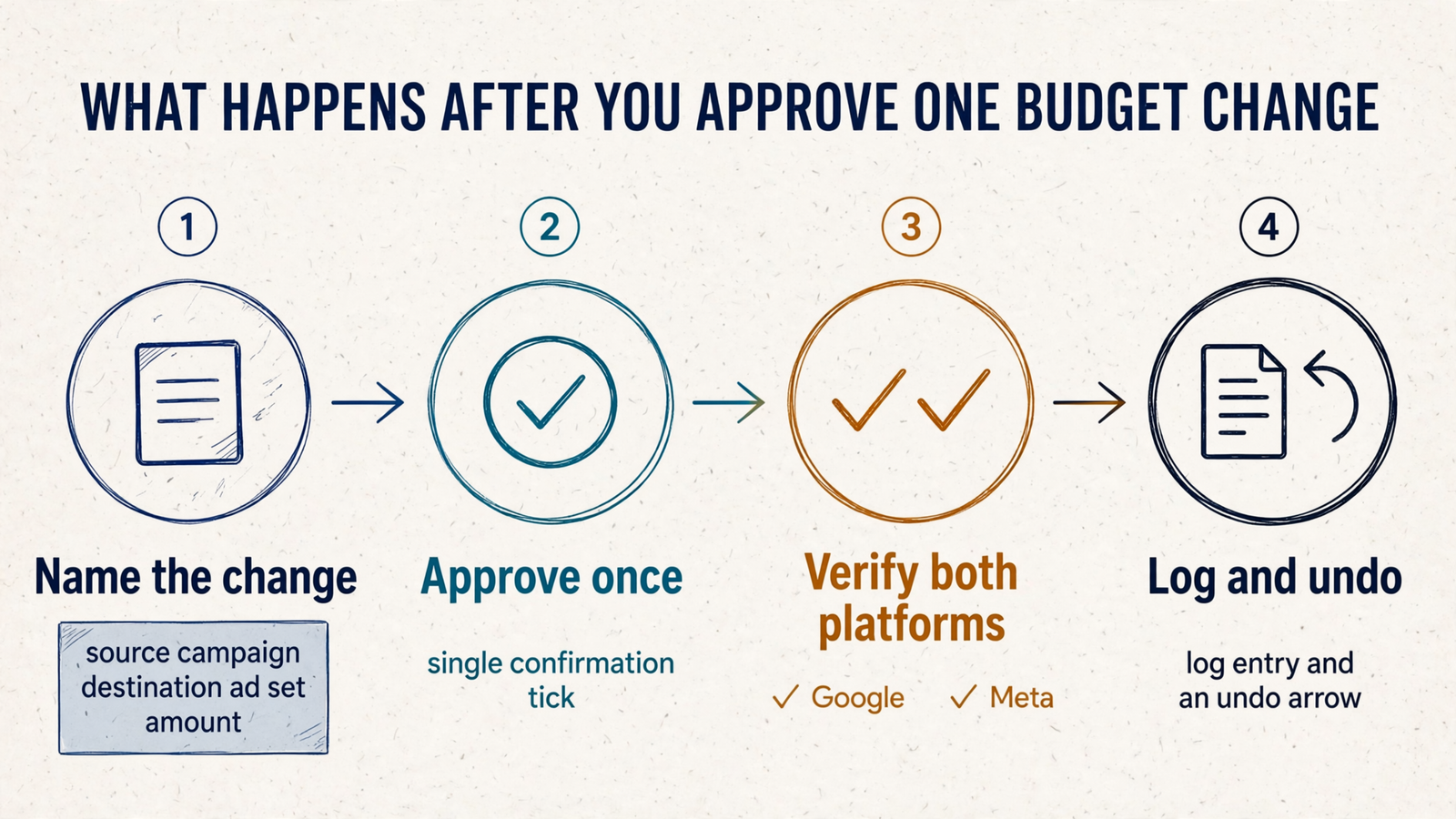
Name the accounts, source campaign, destination ad set, and daily budgets before and after the move. Then explicitly approve the write. “Move some budget to the better performer” leaves the amount and destination open to interpretation. That’s fine in a conversation about options. It’s a lousy instruction to send to an ad account.
This is where the difference between a reporting connection and an action-capable one stops being abstract. A reporting connection stops at the proposal. A connection with the right write tools can submit the approved changes. Check the tool inputs before you confirm that it’s about to do what you asked.
Verify Google and Meta separately
One request is not one transaction. The Google decrease and the Meta increase can succeed or fail independently. If the decrease goes through and the increase doesn’t, you haven’t moved $500 a day to Meta. You’ve lowered the Google budget. Those are different outcomes, and a single “done” in the chat won’t tell you which one you got.
- Before the write, confirm the live settings still match the starting budgets you approved.
- After the write, check each platform separately. Is Google lower by the approved amount? Is Meta higher by that amount? Did either platform reject or cap the change?
- Before retrying, check the live setting and the operation record. A timeout doesn’t prove failure. A unique record of the operation helps prevent a retry from applying the same change twice.
Use the log to find out what happened
With groas, every change is logged with its reason, and you can undo a change in one step. I look for three things in the log: what changed, which account it changed in, and why. That gives me something better than asking the model to reconstruct the operation from the conversation.
Test undo on a low-risk setting before relying on it for a budget change. Undo can restore a setting; it can’t unspend money. The distinction between drafting and spending matters a lot more after the ads have served.
Clock three: autopilot acts between chats only if you turn it on
The $500 move is a one-off instruction. It doesn’t tell anything to check tomorrow’s CPA, much less what to do if it goes up. That’s the job of a standing policy. With groas autopilot, the system can work on your ads, SEO, and AI search presence between conversations, using the data groas collects around the clock and working within the goals, budget, channels, and voice you set. Autopilot is off until you switch it on. Connecting Claude doesn’t switch it on for you.
Write the standing instructions before you delegate the work
I’d set an autopilot policy the way I used to write standing instructions for an account: clear enough that nobody has to guess what I meant when money is on the line. Write down:
- The goal: qualified pipeline or cost per acquisition, not clicks.
- The budget limits: a hard cap and a maximum increase per change.
- The permitted actions: for example, pause a campaign, adjust a budget by up to 10%, or edit ad copy. Leave everything else out.
- The approval threshold: for example, require a human yes for changes above $100 in daily spend.
Put the hard limits in the application that controls the action, not just in the prompt. A sentence that says “don’t go over” is not the same thing as a cap that stops the write.
Delegate the rule, not the next business decision
“If CPA stays above $60 for three consecutive days, pause the campaign and log why” is a standing rule. Autopilot can apply it at 3 a.m. because you already made the decision. “A competitor just launched, so move 40% of next quarter’s budget into a new channel” is a new decision about risk, timing, and cash flow. Nothing in the pause rule gives the system authority to make it.
Let autopilot carry out the rule and bring the new decision back to a human. Before you leave the $500 transfer in place overnight, check which standing rules can still act on either side of it. A budget approval and a pause rule can both be valid. You still need to know what happens when they meet.

Buy the clock you actually need, then see what happens overnight
I’d ignore “connected,” “AI-powered,” and “autonomous” until the vendor can show what starts an action, what it can change, and what happens when you close the chat. The glossary of connected, write-enabled, and autonomous claims is useful here. The buying decision comes down to the work you want to hand over:
- Choose reporting if your team makes every change. You’re buying clean, comparable evidence, not delegation. Don’t pay for write access you won’t use.
- Choose action-capable MCP if you want Claude to execute approved requests. Check the tool list and the approval step, then verify the change in the ad platform.
- Enable autopilot if you want an explicit policy carried out between conversations. With groas, you switch it on deliberately, changes are logged with their reasons, and undo is one step. You don’t have to grant background authority just to get a budget change out of a chat.
Now run a new case through the model. You approve the $500 daily move, verify both budgets, and close the laptop. Overnight, a campaign covered by the standing pause rule meets the three-day, $60 CPA condition. What happens?
Clock one keeps bidding within the verified settings while the campaigns are eligible. Clock two doesn’t issue a new instruction just because the numbers changed overnight; the budget workflow you started is already done. Clock three, if you enabled it and gave it that rule, pauses the campaign and logs why. From then on, the native platform has a paused campaign, not permission to keep bidding just because you approved a budget earlier. If autopilot is off or the rule doesn’t cover that campaign, the pause doesn’t happen. Native bidding continues under the existing settings.
That’s the test I’d put to any vendor: show me what happens after I close the laptop. With groas, Claude reasons over the data, groas supplies the tools and the record of what changed, and background work stays off until you turn it on. A connection tells you what Claude can reach. The clock tells you when anything will act.