

 LinkedIn

Your Meta ad can be wearing out days before ROAS admits there is a problem. Look for rising frequency and falling CTR per ad, not a collapsing account average.
I used to tell clients to wait for cost per purchase to rise for three straight days before killing creative. I was wrong. That waits for the expensive part. Frequency, CTR and CPM trends give you an earlier warning, provided you read them together rather than treating one threshold as a death sentence.
By the end of this tutorial, you will have:
- A ranked list of active Meta ads showing potential fatigue.
- A separate list of ads that need an auction, audience or tracking check.
- Three replacement creative briefs informed by recent competitor ads.
- An approval-led swap and a weekly monitoring prompt.
Before starting, have your Meta ad account connected to ChatGPT or Claude through groas. For the week-over-week check below, each eligible ad needs two complete seven-day windows and at least 1,000 impressions in each. Seven days of delivery alone cannot supply a prior week for comparison.
Read the pattern, not one frequency number
Fatigue often starts with the same people seeing the same image again. Frequency rises, fewer people click, and cost per result eventually deteriorates. CPM may rise too, but a CPM increase by itself does not tell you the creative is tired.
The useful signal is rising frequency alongside falling CTR, measured against the same ad’s history. A roughly 25% CTR decline deserves attention, especially when CPM stays relatively stable and cost per purchase worsens. Compare established ads with their own first two weeks as well as their recent trend, not with an account average that mixes different audiences and jobs. This per-ad comparison keeps the diagnosis attached to the creative you might replace.
Frequency is impressions / reach, and it is an estimate. There is no universal too-high number: budget, audience and schedule matter. Prospecting frequency around 2.5 to 3.0 over seven days can be a watch signal; retargeting can run higher. Treat those frequency ranges as prompts to inspect performance, not automatic pause rules.
Use frequency to start the investigation. Let the other metrics earn the verdict.
Step 1: Connect the right Meta account through groas
Connect your Meta ad account and website in groas, then add groas to your assistant through MCP. Use this server URL:
https://mcp.groas.ai/mcp
In ChatGPT, add it as a custom MCP server and sign in with OAuth. For agents using API-key authentication, use your groas API key as a Bearer header. Follow the full setup in Connect Facebook Ads Manager to ChatGPT without the CSV shuffle or Connect Meta Ads to Claude.
Then ask:
What did my Meta ads spend yesterday? Show the ad account name
alongside the total.
Expected result: The assistant returns spend for the account you intend to inspect, without a CSV export.
Common mistake: Connecting the wrong ad account or a personal profile without ad access. If the assistant reports zero spend, check the account selection and Business Manager permissions before diagnosing your campaigns.
Do not move on until the account and spend look right.
Step 2: Rank eligible ads against their own prior week
Paste the prompt below. Keep CTR (link) explicit so the comparison does not drift between click metrics. Keep the impression exclusion too. A tiny sample can produce a very convincing-looking percentage change.
For every active Meta ad with two complete 7-day delivery windows:
compare last 7 days vs prior 7 days for frequency, CTR (link),
CPM, spend, cost per result and purchases.

Exclude ads with fewer than 1,000 impressions in either week.
List excluded ads separately and explain why they were excluded.

Rank eligible ads by fatigue risk: High / Watch / Healthy.
For each ad, show both periods, the delta in plain numbers,
and one line explaining the classification.

Treat rising frequency plus falling CTR as a warning pattern,
not proof. Do not pause or edit anything.
Expected result: A ranked table with the underlying numbers visible. High-risk ads should have an explanation tied to their own trend, not simply a high frequency number. There is no required number of High-risk ads. An empty list is a valid result.
Common mistake: Running a two-week comparison on three-day-old ads, then treating missing history as evidence. Exclude them. Do not ask the assistant to manufacture a trend.
Meta’s own creative warnings are not a substitute for this check; their scope is limited. But neither is your ranking a verdict. If every ad drops at once, investigate a shared problem first: tracking, the landing page, an auction spike or a learning reset. The account-wide pattern matters.
For more account-reading prompts, use the 20 Meta Ads prompts that work once your AI can see your account.
Step 3: Separate creative fatigue from an expensive auction
Do not replace an image to solve an auction problem. Rising competition, delivery changes and seasonality can all make an ad look tired when the creative is not the main issue. This four-problem breakdown is the useful distinction: frequency saturation is only one possible cause.
Run a second pass on the High-risk ads:
For the High-risk ads above, compare last 7 days vs prior 7 days
for ad-set CPM, reach, frequency and attribution window.

Check whether the same deterioration appears across all ad sets.
If CPM rose across all ad sets while frequency stayed flat,
label the pattern Auction rather than Fatigue.

Separate the list into:
- Fatigue likely
- Auction or delivery issue likely
- Insufficient evidence

Explain each classification using the available metrics.
Do not pause or edit anything.
Expected result: A shorter action list, with ambiguous cases kept separate. Some High-risk ads may move to an auction investigation or remain unresolved. That is better than confidently replacing the wrong thing.
Common mistake: Pausing a healthy ad because CPM spikes during Black Friday week. A calendar problem does not become a creative problem because the creative is easier to change.
Only brief replacements for ads whose frequency and CTR pattern supports the fatigue diagnosis. Keep shared account problems on a separate worklist.
Step 4: Turn recent competitor ads into three replacement briefs
Ask your assistant to pull competitor Meta ads launched in the last 30 days in your category. Record the hook, format, offer and start date. Then cross-check the examples in Meta Ad Library: search by brand and keyword, and filter by country. This Meta Ad Library research walkthrough covers that workflow.
Do not call the examples winners. Longevity hints that an ad may work, but the Library does not show spend or results. Use competitor ads as test material, not performance evidence. Borrow the question an ad answers, not its finished execution.
Show competitor Meta ads launched in the last 30 days in [category].
Summarize the hook, format, offer and start date for each.
Do not infer spend or performance from how long an ad has run.

Draft 3 replacement concepts for the ads marked Fatigue likely:
1. UGC-style
2. Static proof
3. Founder or demo clip

For each concept, include a hook line, opening visual
(first 3 seconds for video), and offer.
Use materially different image/video, not a font or copy tweak.
Keep these as briefs for approval. Do not launch anything.
Expected result: Three distinct briefs that someone can produce, rather than three headlines stapled to the same tired asset.
Common mistake: Duplicating the old winner and changing the headline color. A materially different image or video is the point of this test. A new ad name is not new creative.
Approve the briefs and prepare the actual assets before moving to the swap. A chat response containing a video concept is still not a video.
Step 5: Launch replacements without editing the tired ads in place
Create the replacements as new ads inside the same ad set. Keep the fatigued ads running during review, then pause the approved fatigue candidates after their replacements are approved.
Preserve the old ads; do not promise a learning-free swap. Adding new ads can restart learning. Meta re-reviews new images and videos, and delivery can look choppy around the change. Batch the swap rather than repeatedly tinkering with the ad set.
Use roughly 50 optimization events in a week as the planning reference described in this learning-phase explanation, not a guarantee that every test settles on schedule. Check whether the budget can support the batch before creating it.
Prepare 3 new ads in [ad set name] using the approved concepts
and finished assets. Do not edit the existing fatigued ads in place.

Show me the proposed new ads and the exact High-risk ads to pause.
Wait for my approval before making changes.

After approval, create the new ads and keep the fatigued ads
running until their replacements pass review.
Then pause only the approved fatigue candidates.
Log every change with its reason.
Expected result: New ads enter review; the existing ads stay intact. After replacement approval and the authorized pause, the change log explains what changed and why. Do not assume review finishes within an hour.
Common mistake: Launching a batch on Friday afternoon without enough budget to learn, then judging it before it has meaningful delivery. You have not tested the brief. You have starved it.
Guardrails: approve the swap before the assistant acts
Autopilot stays off until you switch it on. With groas, every change is logged with its reason and can be undone in one step. Keep the distinction clear: reversing an action is not a reason to skip approval.
I keep fatigue swaps approval-led. The assistant prepares the new ads and proposed pauses; I approve the changes. The log should distinguish a fatigue decision from an auction investigation.
Set the first rule as an alert, not a pause instruction:
For prospecting ads, flag cases where 7-day frequency >3.0
AND CTR (link) is down >20% vs prior 7 days.

Apply the same two-window and 1,000-impression exclusions
used in the ranking check.

Show the ranked ads and supporting metrics when I run the check.
Do not pause or edit anything. Autopilot stays OFF until I say on.
Expected result: A review list, not silent account changes. The threshold brings an ad to your attention; the diagnosis still comes from Steps 2 and 3.
Common mistake: Turning a screening threshold into an automatic kill switch. Alerts first. Actions after approval.
Check the limits before trusting the ranking
Budget fragmentation can make this whole exercise misleading. Say you spend $20k a month across ten ad sets at a $40 CPA. Most of those ad sets will not reach roughly 50 optimization events in a week. Do not mistake an underfed test for a tired creative.
Before acting, check three things:
- Enough history: Both seven-day windows exist.
- Enough delivery: Each window clears the 1,000-impression exclusion.
- A creative-specific pattern: Frequency and CTR support the diagnosis rather than an account-wide CPM jump.
An ad with 400 impressions and zero purchases has no useful trend for this check. Mark it insufficient evidence. Likewise, if frequency stays flat while CPM jumps 30% across all ad sets, investigate the auction before blaming the images.
Do not pause an ad solely because the calendar made delivery expensive. Note the shared change and rerun the ranking when you can make a meaningful comparison.
Verify the swap, then put the check on your calendar
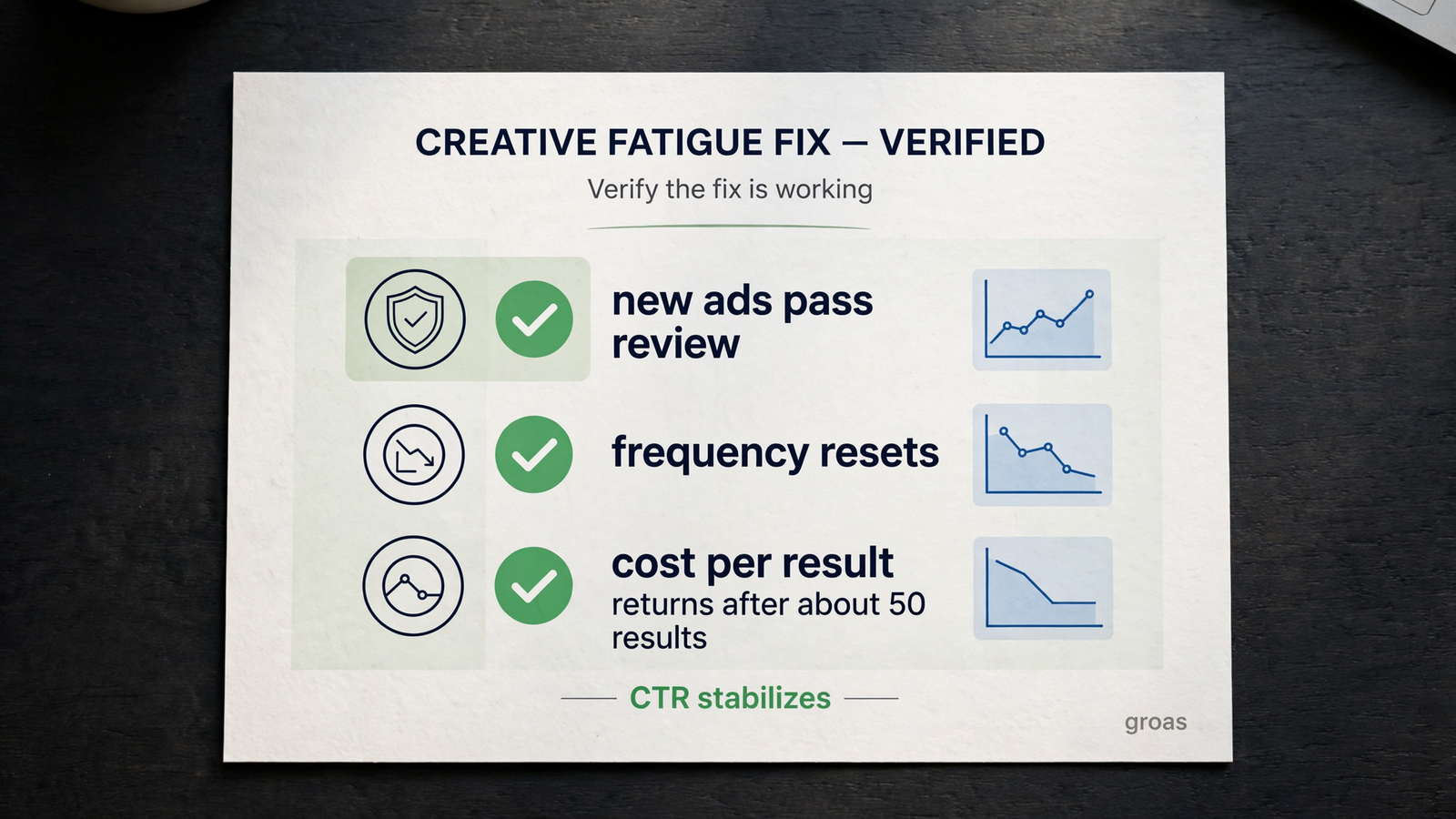
Give the swap seven full days and about 50 results before judging it. If delivery has not reached that level, do not force a verdict just because a week has passed.
Verify in this order:
- Confirm delivery. The new ads pass review and actually spend; the intended old ads are paused.
- Rerun the comparison. Inspect frequency, CTR and CPM rather than assuming new creative automatically lowers ad-set frequency.
- Check the result. Look for CTR stabilizing and cost per result moving toward its prior baseline.
If CTR remains 20% below the old winner’s peak after about 50 results, revisit the brief first. Do not declare the whole process broken, and do not ignore the auction checks you already ran.
Once the swap works, change the cadence first: put the Step 2 check on the calendar every Monday, with the same thresholds and exclusions. Consistency makes the trend easier to read than an occasional panic audit.
Fatigue caught in the early metrics gives you time to brief. Fatigue caught only in ROAS leaves you replacing creative under pressure.
Set the weekly reminder now while the tab is open. Keep the prompt, inspect the exceptions, and approve the actions. Do not wait for ROAS to announce what frequency and CTR have already been trying to tell you.


